





























You may also like
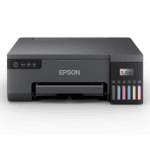
Epson Eco Tank L8050 Wireless Colour Home Inkjet Printers, Multicolor

Epson Eco Tank M1050 InkTank Printer Single Function WiFi Monochrome Inkjet Printer
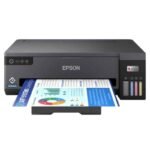
Epson EcoTank L11050 A3+ 4 Colour Single Function Ink Tank Printer with WiFi Connectivity
Epson Ecotank L3210 Black All-In-One Colour Ink Tank Printer with USB Connectivity
Epson EcoTank L3215 All-In-One Colour Ink Tank Printer with USB Connectivity
Epson EcoTank L3250 All-in-One Color Ink Tank Printer, Wi-Fi, For Home Use, Low Cost Printing, 33ppm Mono and 15ppm Color, Black
Epson EcoTank L3256 White Wi-Fi All-in-One Colour Ink Tank Printer
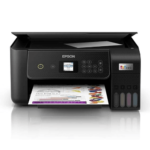
Epson Ecotank L3260 A4 Wi-Fi All-in-One Wireless Colour Solid Ink Printers, Black
Epson EcoTank Monochrome M1180 Wi-Fi InkTank Printer
Epson EcoTank Monochrome M2120 All-in-One InkTank WiFi Printer
Epson M1100 EcoTank Monochrome InkTank Printer
Epson M1120 EcoTank Monochrome Wi-Fi Ink Tank Printer
From the manufacturer


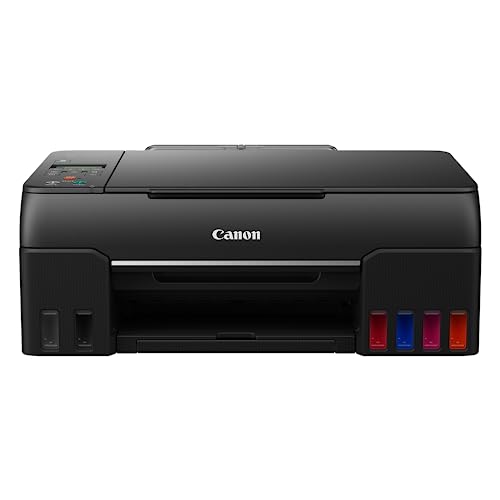
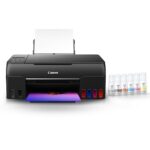
While other printers use CMY inks to compose grey color, the PIXMA G670 uses grey ink to ensure stable color reproduction and avoid color variations & grey color shifts on multiple paper types.

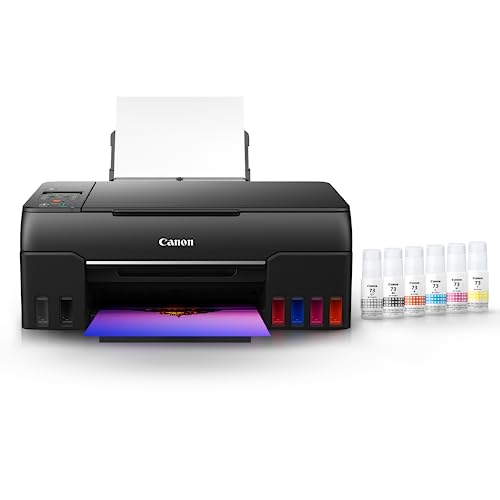
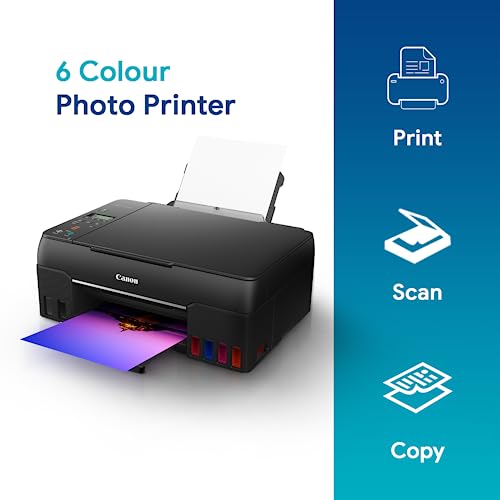
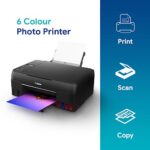
The 6 different inks expand the color space dramatically for high-quality photos with excellent longevity, ensuring high contrast and rich color in every print.

With a wider color gamut, the PIXMA G670 supports high-quality photo printing in red & dark areas while enhancing the contrast for a 3D look & feel.

To prevent accidental mixing of colored inks, each ink bottle tip is designed to fit only the specific color tank. Ink filling is a spill-free process, begins automatically, and stops when the ink tank is full.

High page yield ink bottles that print up to 3,800 (4R)* high quality photos, never worry about running out of ink again!

With easy replaceable ink maintenance cartridge print heads the PIXMA G670 ensures minimum downtime & maximum production at all times. It also helps you reduce the need for repairs & services.

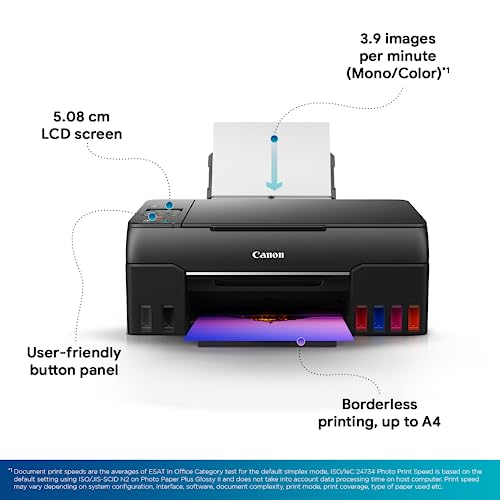
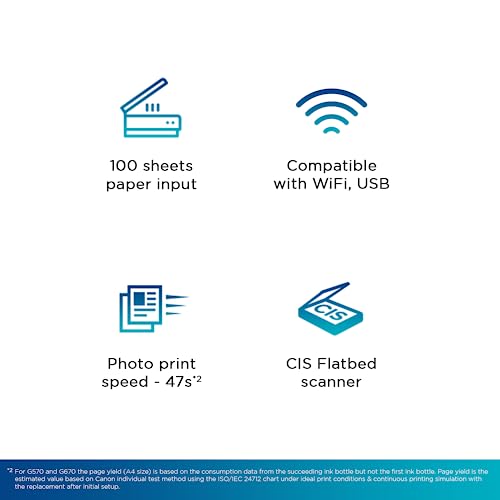
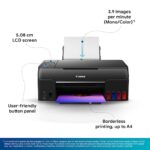
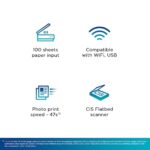
With the PIXMA G670, you can now print from 4R, A4 to long, decorative banner up to 1.2 centimetre. Fulfills your various printing needs.

*Page Yield is the estimated value based on Canon individual test method using the ISO/IEC 29103 chart and
continuous printing simulation with the replacement after initial setup.
| Brands | Canon printers Canon PIXMA Canon imageCLASS Canon MAXIFY Canon photo printers Buy Canon printers online Canon laser printers Canon accessories Best Canon printer deals Canon cameras and camcorders |
|---|---|
| Color |
Black |
| Connectivity | , |
| Paper Size |
A4 |
| Printer Features | |
| Printer Functionality |
All in One |
| printer Technology | |
| Printer Type | |
| Products by Type |
7 reviews for Canon PIXMA MegaTank G670 6 Colour, Print,Scan,Copy, High Volume Printing Photo Printer, User Replaceable Print Heads & Maintainence Cartridge Online at Low Prices in India | Canon Reviews & Ratings
Clear filters-
5.0 out of 5 stars
Value for money
Loved it. High quality color prints are slow, but overall printing quality is really good. Value for money.

-
4.0 out of 5 stars
Good product with a few missing bits
Review of Day 1First of all, be careful ordering printers etc on Amazon and stick to reputed sellers. I ordered this initially on Appario, and received a well used printer, with no ink bottles, a lot of dust, and original aadhaar card in the scan bed. Next day (seeing in daylight) I also discovered it was a different model. Amazon did a very sluggish replacement which took 10 days and almost did not get to me as the serial number of the earlier product did not match. Countless arguments later I had the printer.Now on to the printer itself, it seems a little more complicated to setup that what I have experienced earlier. But it went off without a hitch. Its not very apparent from the manual or visual inspection how to open the printhead covers etc and one worries about accidentally causing damage. The good part is htat the drivers can be installed from the website, and the accompanying CD can be ignored (which is a good thing as my desktop cabinet does not have a bay to install a CD drive and I would have had to remove the cover to manually connect one).The test prints were pretty nice. Reasonably fast too in photo mode.Here is what I found disappointing abut the printer:1. The printer does not feel very premium. In fact it looks similar to models less than half its price.2. No covered input tray. I like to keep my paper in the printer, and there being no covered input tray makes it easy for the paper to get damaged and dusty. However, my last printer had a covered tray which made it work in a ‘U’ paper path while this has an ‘L’ paper path and I suppose you can print on slightly thicker paper.3. The keypad area is a tad flimsy. The keys need time to get used to in terms of logic.4. A couple of lights on the panel may have made things easier to understand.5. Installing additional software from the Canon site is not exactly as easy to understand as one would expect.6. Not sure, but I do not think there is a ‘remaining ink’ indicator. I saw somewhere that it was advised to look at the ink windows to figure that out.
37 people found this helpful
-
5.0 out of 5 stars
High quality printer
Very good product and very happy

-
5.0 out of 5 stars
Overall a nice printer for family and office use
Great printerEasy to setupFast printing speedGood quality prints
One person found this helpful
-
5.0 out of 5 stars
Excellent Printer
An amazing home photo and document printer.Easy to set up ,easy to use ,easy to connect with all devices .Excellent delivery service by Amazon, I replaced the printer I bought due to some errors Amazon replaced it without any problems with in two-days I really appreciate the seller and Amazon delivery. After a month of use I am satisfied with the product….will update after some time. After 3year printer is working with minimum usage and printing good quality prints
7 people found this helpful


-
4.0 out of 5 stars
Great, but smudges with water colour paint
Pretty nice this printer. If you want to use this to print pages for your kids to colour, then unfortunately it’ll smudge with water/poster colours. Try draft mode with print settings (tried on mac) to minimise ink and smudges. Draft prints are almost indistinguishable from normal, and prints much faster. One more downside is using draft mode with selecting ‘plain’ paper would ask for a confirmation printer, saying paper type doesn’t match with actual paper, and you have to press OK all the time. Minor annoyance.Other than these, prints and quality is fantastic. Photo prints on photo paper and plain paper colour prints are better than your local printer shop.
3 people found this helpful
-
4.0 out of 5 stars
Good color print quality
Performance: Prints extremely wellBest Feature: Very low running costProduct Quality: Very GoodBest Feature:6 colors for better picture resultColor Print Quality: Its great in the given budgetCons: The printer does not support back to back printing capability for a 2 page print on 1 singke paper. Thats only 1 negative had this option been there it would have been a 5 star.Very good communication. Notably wonderful packaging. Quick delivery.Thank you Amazon !!
One person found this helpful
Shop genuine Canon products online at Digitechshop, India’s trusted destination for inkjet printers, laser printers, multifunction printers, ink bottles, toner cartridges, documents scanners, and camera accessories. Canon is a globally leading brand known for its high-quality printing, imaging technology, durability, and advanced features.
From home printers to office multifunction machines and commercial printing devices, Canon offers reliable performance and outstanding print clarity. At Digitechshop, you get 100% original Canon products with manufacturer warranty, best-price offers, expert support, and fast delivery across India.
Whether you are a student, business owner, office user, or photography enthusiast, Canon delivers professional-grade solutions for all printing and imaging needs.

Deepak TukrulDeepak Tukrul –
Value for money
Loved it. High quality color prints are slow, but overall printing quality is really good. Value for money.
Samit Roychoudhury –
Good product with a few missing bits
Review of Day 1First of all, be careful ordering printers etc on Amazon and stick to reputed sellers. I ordered this initially on Appario, and received a well used printer, with no ink bottles, a lot of dust, and original aadhaar card in the scan bed. Next day (seeing in daylight) I also discovered it was a different model. Amazon did a very sluggish replacement which took 10 days and almost did not get to me as the serial number of the earlier product did not match. Countless arguments later I had the printer.Now on to the printer itself, it seems a little more complicated to setup that what I have experienced earlier. But it went off without a hitch. Its not very apparent from the manual or visual inspection how to open the printhead covers etc and one worries about accidentally causing damage. The good part is htat the drivers can be installed from the website, and the accompanying CD can be ignored (which is a good thing as my desktop cabinet does not have a bay to install a CD drive and I would have had to remove the cover to manually connect one).The test prints were pretty nice. Reasonably fast too in photo mode.Here is what I found disappointing abut the printer:1. The printer does not feel very premium. In fact it looks similar to models less than half its price.2. No covered input tray. I like to keep my paper in the printer, and there being no covered input tray makes it easy for the paper to get damaged and dusty. However, my last printer had a covered tray which made it work in a ‘U’ paper path while this has an ‘L’ paper path and I suppose you can print on slightly thicker paper.3. The keypad area is a tad flimsy. The keys need time to get used to in terms of logic.4. A couple of lights on the panel may have made things easier to understand.5. Installing additional software from the Canon site is not exactly as easy to understand as one would expect.6. Not sure, but I do not think there is a ‘remaining ink’ indicator. I saw somewhere that it was advised to look at the ink windows to figure that out.
37 people found this helpful
Biswajit mondalBiswajit mondal –
High quality printer
Very good product and very happy
Akshat –
Overall a nice printer for family and office use
Great printerEasy to setupFast printing speedGood quality prints
One person found this helpful
Sincerely yoursSincerely yours –
Excellent Printer
An amazing home photo and document printer.Easy to set up ,easy to use ,easy to connect with all devices .Excellent delivery service by Amazon, I replaced the printer I bought due to some errors Amazon replaced it without any problems with in two-days I really appreciate the seller and Amazon delivery. After a month of use I am satisfied with the product….will update after some time. After 3year printer is working with minimum usage and printing good quality prints
7 people found this helpful
Rushi Agrawal –
Great, but smudges with water colour paint
Pretty nice this printer. If you want to use this to print pages for your kids to colour, then unfortunately it’ll smudge with water/poster colours. Try draft mode with print settings (tried on mac) to minimise ink and smudges. Draft prints are almost indistinguishable from normal, and prints much faster. One more downside is using draft mode with selecting ‘plain’ paper would ask for a confirmation printer, saying paper type doesn’t match with actual paper, and you have to press OK all the time. Minor annoyance.Other than these, prints and quality is fantastic. Photo prints on photo paper and plain paper colour prints are better than your local printer shop.
3 people found this helpful
Saurabh –
Good color print quality
Performance: Prints extremely wellBest Feature: Very low running costProduct Quality: Very GoodBest Feature:6 colors for better picture resultColor Print Quality: Its great in the given budgetCons: The printer does not support back to back printing capability for a 2 page print on 1 singke paper. Thats only 1 negative had this option been there it would have been a 5 star.Very good communication. Notably wonderful packaging. Quick delivery.Thank you Amazon !!
One person found this helpful