





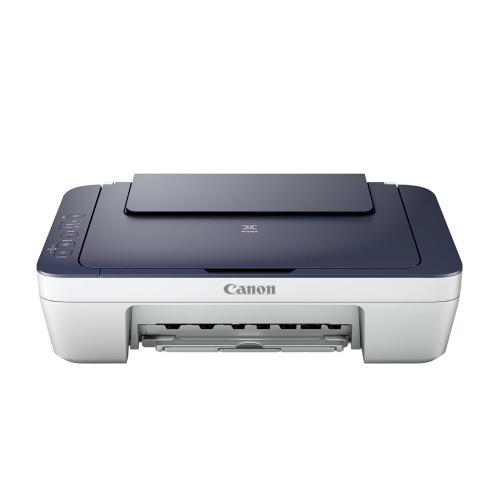



Canon PIXMA MG2577s All in One (Print, Scan, Copy) Inkjet Colour Printer
Canon PIXMA MG2577s All in One (Print, Scan, Copy) Inkjet Colour Printer for Home : Computers & Accessories Original price was: ₹39,999.Current price is: ₹3,499. (incl. of all taxes)
Back to products
Canon Pixma TS207 Single Function Inkjet Printer
Canon Pixma TS207 Single Function Inkjet Printer (Black) : Computers & Accessories Original price was: ₹2,695.Current price is: ₹2,299. (incl. of all taxes)

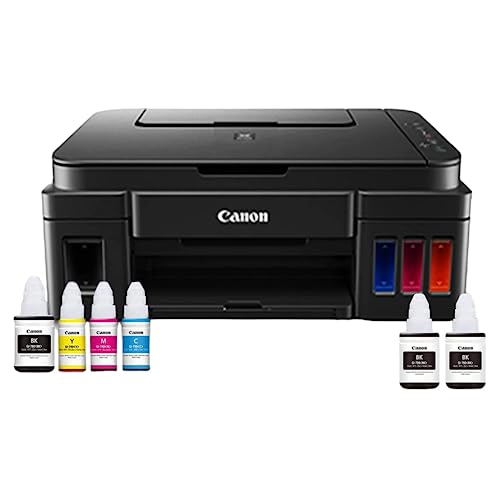
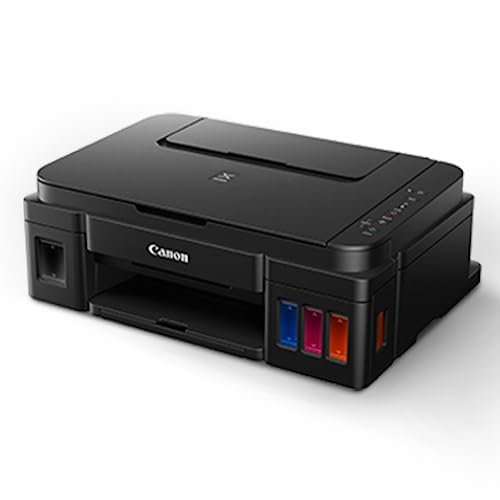
Canon PIXMA MegaTank G3000 All in One WiFi Inktank Colour Printer with 2 Additional Black Ink Bottles for Home and Office Online at Low Prices in India | Canon Reviews & Ratings

(8 customer reviews)

Original price was: ₹18,295.Current price is: ₹12,999. (incl. of all taxes)

316 Items sold in last month
48 People watching this product now!

Out of stock

This product is currently sold out.

No worries! Enter your email, and we'll let you know as soon as it's back in stock.

Sign Up & Earn Rs.300 Digitech Wallet Credit

& save extra money on your next purchase.

Out of stock

This product is currently sold out.

No worries! Enter your email, and we'll let you know as soon as it's back in stock.

Key Features:

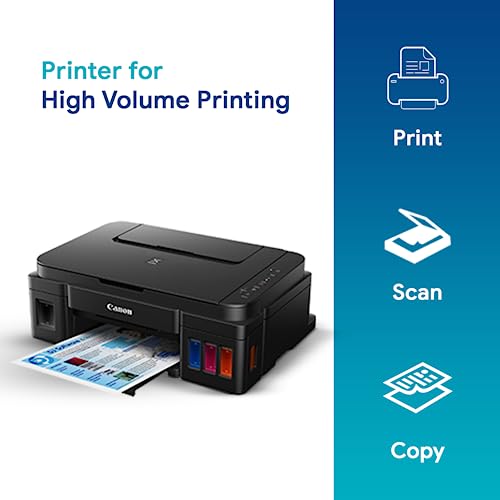
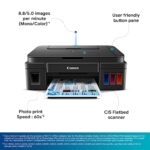
  • Ink tank all-in-one printer (Print, Scan, Copy)
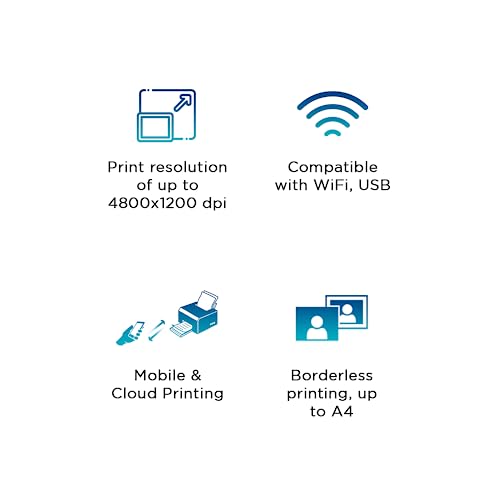
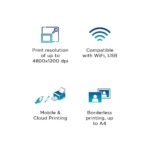
  • Wi-Fi and USB connectivity; mobile printing
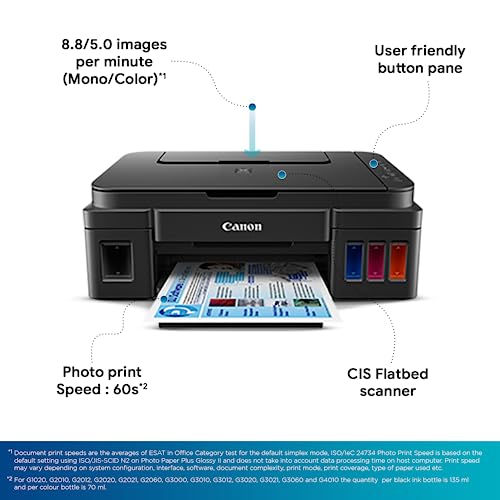
  • Print up to 4800 × 1200 dpi; 8.8 ppm (B/W), 5 ppm (Colour)
  • GI790 ink tanks: 6,000 B/W & 7,000 Colour prints
  • Supports multiple paper sizes; borderless printing
  • Ideal for home and home office use

Replacement Policy – Digitechshop

ReasonPeriodPolicy
Missing ProductWithin 2 days from delivery Replacement
Wrong ProductWithin 2 days from deliveryReplacement
Damaged ProductWithin 2 days from deliveryReplacement

Verification Process

All replacement requests will be verified by Digitechshop.
Customers must submit valid proof of the issue, such as photos, videos, or unboxing evidence, for verification.


Brand Warranty & Service

  • Brand assistance for device-related or technical issues is subject to the brand’s official warranty guidelines and service policies.

  • Customers are requested to contact the nearest authorized service center for further assistance.

  • During on-call support, you may be asked to upload images, download a diagnostic app, or connect with the brand directly.

  • Depending on your location, inspection may be carried out at your doorstep or at the nearest brand service center.

  • The final resolution may take up to 7 working days.


DOA (Dead on Arrival) & Replacement

Return or replacement is only applicable if:

  • The brand issues a DOA (Dead on Arrival) certificate, or

  • The part is unavailable for replacement.

If neither condition is met, replacement may not be applicable.


Warranty Handling

  • For products with a brand warranty, please contact the brand’s authorized service center directly.

  • For products without a warranty, service and related charges (if applicable) will be as per the brand’s policy.

  • On-site or off-site service charges are determined solely by the brand.


Exchange Process

If the brand approves an exchange, customers must:

  • Collect the Job Sheet from the brand’s technician, and

  • Share it with Digitechshop within 7 days from the delivery date to process the exchange.


Missing Parts/Accessories

For missing parts or accessories:

  • Please contact the brand’s customer care directly.

  • If verified by Digitechshop, we may dispatch the missing part, issue a partial refund, or provide a coupon.


Exclusions

Replacement is not applicable in the following cases:

  • Correct product delivered as per order

  • Customer’s change of mind or preference-based returns

  • Quality or performance-related dissatisfaction (covered under brand warranty only)

Free delivery

No shipping charge on this order

Regular delivery also available at less than 6 day(s)

4.6
8 reviews
4
3
0
0
0

8 reviews for Canon PIXMA MegaTank G3000 All in One WiFi Inktank Colour Printer with 2 Additional Black Ink Bottles for Home and Office Online at Low Prices in India | Canon Reviews & Ratings

Clear filters
  1. N

    5.0 out of 5 stars

    Review after using this printer for over an year

    I am writing this review on this printer after using it for over a year. In this year, I printed about 2000+ pages both color and black&white. So my review is based on observations on them.=== Print Quality ===This is definitely the brightest point with this printer. I used Epson ink tank printer earlier and were not satisfied with the results of it. But this Canon printer makes the cut. I am amazed to see the results of the printing both color and B&W. I printed many photos on photo papers and the results were better than the inkjet printers.=== Ink Longevity ===This is another biggest selling point of this printer. The printer came with 4 ink bottles – Black, Cyan, Magenta, Yellow. After printing over 2000 pages so far (photos and documents) I still see 50% of the ink left.=== Ease of Use ===I can connect this to my wifi router and get started in 5 minutes. All I need is to read the instructions carefully. And voila, all my devices – Computer, Laptop, Mobile and iPad – can print without any hassles. They can detect the printer and starts printing just in minute.=== Paper Feeding ===In my more than one year experience with this printer, I never faced a single paper jam. If at all something happens, check paper feeder if any small objects stuck accidentally.=== Scanner ===Not used much but overall quality was ok. If you want crystal clear scans, this is not for you.=== Copier ===Its just a click of button. Keep your document inside the scanner and click on blabk or color button. Your document copy is ready.=== Issues ===So far I came across only one issue. The printer orange light starts blinking and the messages shows that the ink cleaner bed was overflown and needs a service. But I followed the instructions on Youtube videos, cleaned the ink cleaning bed and cartridges for 4 to 5 times and then the printer came back to normal. But this took over 4 hours to understand and solve the issue.=== Advice ===1. Do not perform system cleaning too many times. This will cause overflowing of tank on ink cleaner bed and malfunction your primter.2. Do not use cheap paper, use paper such as JK Sparkle etc.3. Do not print photo prints on normal paper, use photo paper or thick paper.4. Make sure to print few papers at least once a week with all colors. This will reduce color logging inside the tubes.Overall, I am very satisfied with this printer and the quality of prints it gives you.Update 11/11/19I faced one more issue after long time. The printer unable to feed the paper and I couldn’t find any object inside the feed. After two days of struggling I came up with an idea of reverse feeding the paper from inside the printer, i.e. open the top box to see printer inside and switch off and onthe printer. While stopping, it reverses spinning wheel and load paper manually to it just in time. Voila, it started.

    481 people found this helpful

  2. Nageswar V

    4.0 out of 5 stars

    Good Purchase for home use

    My first use.Pros1. Easy to install2. Print Quality is good3. Scan is easy through the specified scanner app4. Copy Quality is good5. Compact and even easy to install for first-time printer usersCons:1. Wifi settings are a bit confusing for new users2. Initiating the print takes a few seconds3. Printer sound is a bit annoying, though that is expected4. The color print does not match the original; it is a bit pale.I will share more details as I use it for more prints.

    23 people found this helpful

  3. Abhisek

    5.0 out of 5 stars

    Value for Money

    Writing this review after Four Years of buying this printer.Pros: Very Very easy to install both hardware and software Print Quality is good in its class Even after four years still using the same print cartages that came with the printer You get two big bottles of black ink and three small bottles of colour ink with the printer. Did not face any paper jam issue in the last four year Cannon Image Garden software is extremely powerful if you have placed let say for different pics at the same time for scanning, the software has a feature to club them into one , this was very useful for me to make collage. Cannon Mobile print application is very useful Print speed is best in its class Easy to perform printer auto clean with software Lot of online resource available if in case you need any trouble shooting.Cons: The only Cons id if you are not using the printer for a very long time then the ink will dry inside the pipes and you will have to reset the printer and this will lead to ink wastage as the printer will realign during the reset process and will circulate the ink flow again in all the pipes and print heads This is a natural phenomenon with all inkjet printers so cannot be considered as a direct Cons in its real meaning.Rest I cannot think of any other bad experience with the printer it is working very good till now and I recommend this printer to all.

    113 people found this helpful

  4. Chandramouleeswaran M N

    5.0 out of 5 stars

    Very Good Printer for Home and Office

    I am very happy with this Canon PIXMA G3000 printer. It prints fast and the quality is very clear. The WiFi feature is easy to use and helpful. I can print from my phone and laptop without any wire. The ink lasts long and I got two extra black ink bottles, which is great. It is perfect for both home and office use. Setup was simple and everything works well.I strongly recommend this printer to everyone.

    5 people found this helpful

  5. inamur rehman

    5.0 out of 5 stars

    Awsome pixma ink

    Cannon pixma ink I got was very awesome and usefull for everyone one.

  6. HAMIDBHAI MAKARANIHAMIDBHAI MAKARANI

    4.0 out of 5 stars

    Excellent Printer for Business, BUT Packaging Protection is Zero.

    I purchased the Canon G3000 for my small business needs (Pragati Tuition Classes) and for high-volume printing for my MBA studies, and the printer itself is a fantastic, low-cost solution.Product Performance (5/5):The MegaTank system is exactly what I needed. The cost per page is incredibly low, the Wi-Fi setup was smooth from my laptop, and the print quality is sharp for both text documents and photos. The generous amount of ink included is huge value. I am very happy with the machine’s performance and versatility (Print, Scan, Copy).Delivery & Packaging (1/5):This is a critical flaw. The printer box arrived dented, worn, and completely unprotected, with no external brown box, bubble wrap, or plastic seal to secure it during transit. For an ink tank printer which must be kept upright, this is unacceptable and poses a huge risk of internal damage or ink leakage.Thankfully, after unboxing and inspection (which I filmed), the internal foam protected the printer, and the device appears physically undamaged.Verdict:I highly recommend the Canon PIXMA G3000 for anyone needing high-volume, low-cost printing. However, Amazon/Seller MUST improve the logistics and packaging standards for such sensitive electronics. The product survived transport this time, but the seller is risking significant damage and returns due to unprotected shipping.

    3 people found this helpful

  7. Puneet Verma

    4.0 out of 5 stars

    Proper way to get the print

    It’s all very best but sometimes it become yellow when I print

  8. Kiran Vijay

    4.0 out of 5 stars

    Good Printer for daily printing from mobile and laptop wirelessy

    The setup is complex and not straight forward especially for Mac book users to configure from laptop.Similar experience to configure Android mobile , it took me over 1 hours to get it to print the test page from Mac Book and mobile via the wifi wireless network option. USB is fairly simple and straight forward ,i did this first to ensure Desktop is setup to test the printer and check its functionsAlso , there is a yellow holder inside ensure you remove that from the printer head holders so that it does not move during shipping .After removing that you can insert the printer heads into place .Also , after filling the inks ,the first start up took almost 10 minutes where it pulls the print ink to fill the tubes feeding into print head and only then your first test print will come so do not worry that it’s taking time on first startup .Ensure you set aside 1 to 2 hours to set this printer up example weekends .

    3 people found this helpful

Add a review

Your email address will not be published. Required fields are marked *

You have to be logged in to be able to add photos to your review.

Description

From the manufacturer

SPN-FOR1SPN-FOR1


SPN-FOR1SPN-FOR1
Additional information
Brands

Canon printers Canon PIXMA Canon imageCLASS Canon MAXIFY Canon photo printers Buy Canon printers online Canon laser printers Canon accessories Best Canon printer deals Canon cameras and camcorders
Color

Black

Connectivity

Paper Size

Legal

,

A4

Printer Features

Printer Functionality

Print Only (Single Function)

printer Technology

Printer Type

Products by Type

Reviews (8)
4.6
8 reviews
4
3
0
0
0

8 reviews for Canon PIXMA MegaTank G3000 All in One WiFi Inktank Colour Printer with 2 Additional Black Ink Bottles for Home and Office Online at Low Prices in India | Canon Reviews & Ratings

Clear filters
  1. N

    5.0 out of 5 stars

    Review after using this printer for over an year

    I am writing this review on this printer after using it for over a year. In this year, I printed about 2000+ pages both color and black&white. So my review is based on observations on them.=== Print Quality ===This is definitely the brightest point with this printer. I used Epson ink tank printer earlier and were not satisfied with the results of it. But this Canon printer makes the cut. I am amazed to see the results of the printing both color and B&W. I printed many photos on photo papers and the results were better than the inkjet printers.=== Ink Longevity ===This is another biggest selling point of this printer. The printer came with 4 ink bottles – Black, Cyan, Magenta, Yellow. After printing over 2000 pages so far (photos and documents) I still see 50% of the ink left.=== Ease of Use ===I can connect this to my wifi router and get started in 5 minutes. All I need is to read the instructions carefully. And voila, all my devices – Computer, Laptop, Mobile and iPad – can print without any hassles. They can detect the printer and starts printing just in minute.=== Paper Feeding ===In my more than one year experience with this printer, I never faced a single paper jam. If at all something happens, check paper feeder if any small objects stuck accidentally.=== Scanner ===Not used much but overall quality was ok. If you want crystal clear scans, this is not for you.=== Copier ===Its just a click of button. Keep your document inside the scanner and click on blabk or color button. Your document copy is ready.=== Issues ===So far I came across only one issue. The printer orange light starts blinking and the messages shows that the ink cleaner bed was overflown and needs a service. But I followed the instructions on Youtube videos, cleaned the ink cleaning bed and cartridges for 4 to 5 times and then the printer came back to normal. But this took over 4 hours to understand and solve the issue.=== Advice ===1. Do not perform system cleaning too many times. This will cause overflowing of tank on ink cleaner bed and malfunction your primter.2. Do not use cheap paper, use paper such as JK Sparkle etc.3. Do not print photo prints on normal paper, use photo paper or thick paper.4. Make sure to print few papers at least once a week with all colors. This will reduce color logging inside the tubes.Overall, I am very satisfied with this printer and the quality of prints it gives you.Update 11/11/19I faced one more issue after long time. The printer unable to feed the paper and I couldn’t find any object inside the feed. After two days of struggling I came up with an idea of reverse feeding the paper from inside the printer, i.e. open the top box to see printer inside and switch off and onthe printer. While stopping, it reverses spinning wheel and load paper manually to it just in time. Voila, it started.

    481 people found this helpful

  2. Nageswar V

    4.0 out of 5 stars

    Good Purchase for home use

    My first use.Pros1. Easy to install2. Print Quality is good3. Scan is easy through the specified scanner app4. Copy Quality is good5. Compact and even easy to install for first-time printer usersCons:1. Wifi settings are a bit confusing for new users2. Initiating the print takes a few seconds3. Printer sound is a bit annoying, though that is expected4. The color print does not match the original; it is a bit pale.I will share more details as I use it for more prints.

    23 people found this helpful

  3. Abhisek

    5.0 out of 5 stars

    Value for Money

    Writing this review after Four Years of buying this printer.Pros: Very Very easy to install both hardware and software Print Quality is good in its class Even after four years still using the same print cartages that came with the printer You get two big bottles of black ink and three small bottles of colour ink with the printer. Did not face any paper jam issue in the last four year Cannon Image Garden software is extremely powerful if you have placed let say for different pics at the same time for scanning, the software has a feature to club them into one , this was very useful for me to make collage. Cannon Mobile print application is very useful Print speed is best in its class Easy to perform printer auto clean with software Lot of online resource available if in case you need any trouble shooting.Cons: The only Cons id if you are not using the printer for a very long time then the ink will dry inside the pipes and you will have to reset the printer and this will lead to ink wastage as the printer will realign during the reset process and will circulate the ink flow again in all the pipes and print heads This is a natural phenomenon with all inkjet printers so cannot be considered as a direct Cons in its real meaning.Rest I cannot think of any other bad experience with the printer it is working very good till now and I recommend this printer to all.

    113 people found this helpful

  4. Chandramouleeswaran M N

    5.0 out of 5 stars

    Very Good Printer for Home and Office

    I am very happy with this Canon PIXMA G3000 printer. It prints fast and the quality is very clear. The WiFi feature is easy to use and helpful. I can print from my phone and laptop without any wire. The ink lasts long and I got two extra black ink bottles, which is great. It is perfect for both home and office use. Setup was simple and everything works well.I strongly recommend this printer to everyone.

    5 people found this helpful

  5. inamur rehman

    5.0 out of 5 stars

    Awsome pixma ink

    Cannon pixma ink I got was very awesome and usefull for everyone one.

  6. HAMIDBHAI MAKARANIHAMIDBHAI MAKARANI

    4.0 out of 5 stars

    Excellent Printer for Business, BUT Packaging Protection is Zero.

    I purchased the Canon G3000 for my small business needs (Pragati Tuition Classes) and for high-volume printing for my MBA studies, and the printer itself is a fantastic, low-cost solution.Product Performance (5/5):The MegaTank system is exactly what I needed. The cost per page is incredibly low, the Wi-Fi setup was smooth from my laptop, and the print quality is sharp for both text documents and photos. The generous amount of ink included is huge value. I am very happy with the machine’s performance and versatility (Print, Scan, Copy).Delivery & Packaging (1/5):This is a critical flaw. The printer box arrived dented, worn, and completely unprotected, with no external brown box, bubble wrap, or plastic seal to secure it during transit. For an ink tank printer which must be kept upright, this is unacceptable and poses a huge risk of internal damage or ink leakage.Thankfully, after unboxing and inspection (which I filmed), the internal foam protected the printer, and the device appears physically undamaged.Verdict:I highly recommend the Canon PIXMA G3000 for anyone needing high-volume, low-cost printing. However, Amazon/Seller MUST improve the logistics and packaging standards for such sensitive electronics. The product survived transport this time, but the seller is risking significant damage and returns due to unprotected shipping.

    3 people found this helpful

  7. Puneet Verma

    4.0 out of 5 stars

    Proper way to get the print

    It’s all very best but sometimes it become yellow when I print

  8. Kiran Vijay

    4.0 out of 5 stars

    Good Printer for daily printing from mobile and laptop wirelessy

    The setup is complex and not straight forward especially for Mac book users to configure from laptop.Similar experience to configure Android mobile , it took me over 1 hours to get it to print the test page from Mac Book and mobile via the wifi wireless network option. USB is fairly simple and straight forward ,i did this first to ensure Desktop is setup to test the printer and check its functionsAlso , there is a yellow holder inside ensure you remove that from the printer head holders so that it does not move during shipping .After removing that you can insert the printer heads into place .Also , after filling the inks ,the first start up took almost 10 minutes where it pulls the print ink to fill the tubes feeding into print head and only then your first test print will come so do not worry that it’s taking time on first startup .Ensure you set aside 1 to 2 hours to set this printer up example weekends .

    3 people found this helpful

Add a review

Your email address will not be published. Required fields are marked *

You have to be logged in to be able to add photos to your review.

About Canon
Buy original Canon printers, cameras & accessories online at best prices from Digitechshop with fast delivery across India.

Shop genuine Canon products online at Digitechshop, India’s trusted destination for inkjet printers, laser printers, multifunction printers, ink bottles, toner cartridges, documents scanners, and camera accessories. Canon is a globally leading brand known for its high-quality printing, imaging technology, durability, and advanced features.

From home printers to office multifunction machines and commercial printing devices, Canon offers reliable performance and outstanding print clarity. At Digitechshop, you get 100% original Canon products with manufacturer warranty, best-price offers, expert support, and fast delivery across India.

Whether you are a student, business owner, office user, or photography enthusiast, Canon delivers professional-grade solutions for all printing and imaging needs.