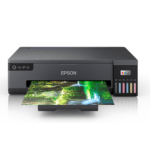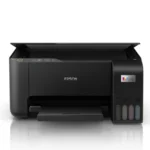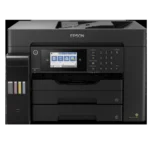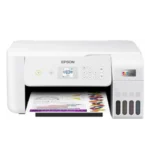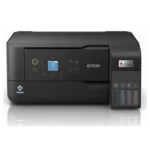






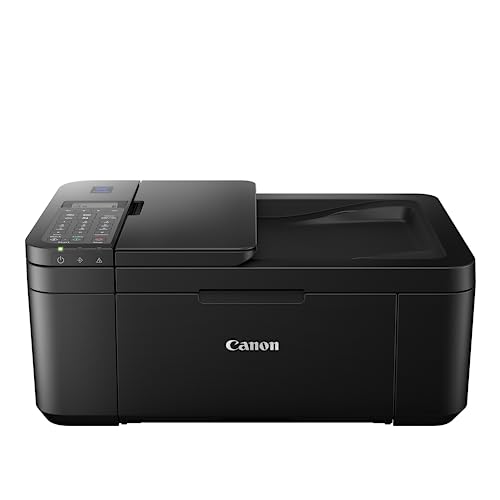
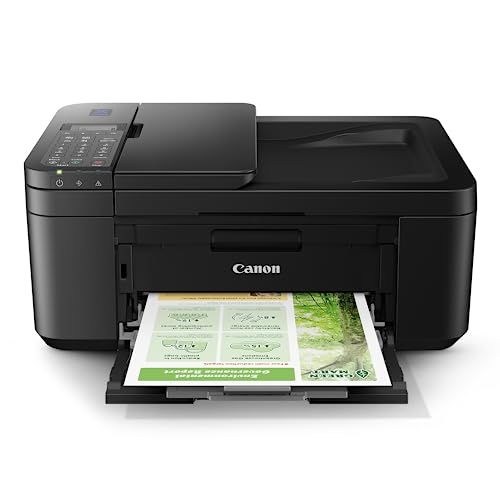



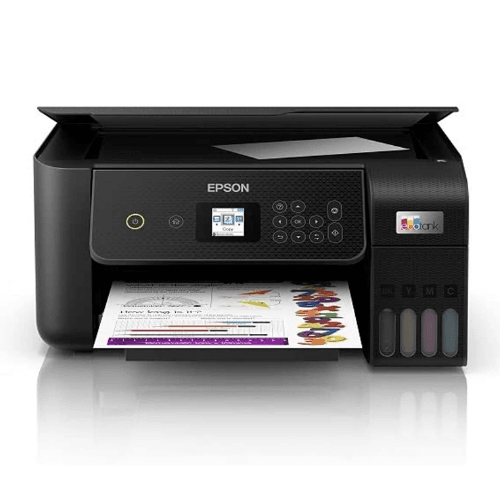
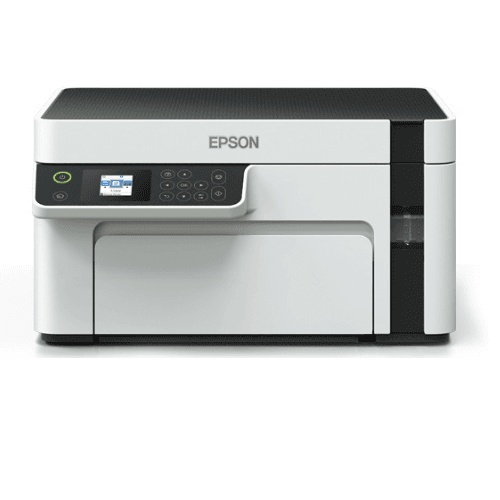
Canon PIXMA E4570 All in One (Print, Scan, Copy) WiFi Ink Efficient Colour Printer with FAX and Auto Duplex Printing for Home/Office : Computers & Accessories

(7 customer reviews)

231 Items sold in last month
89 People watching this product now!

This product is currently sold out.

No worries! Enter your email, and we'll let you know as soon as it's back in stock.

Sign Up & Earn Rs.300 Digitech Wallet Credit

& save extra money on your next purchase.

This product is currently sold out.

No worries! Enter your email, and we'll let you know as soon as it's back in stock.

Key Features:

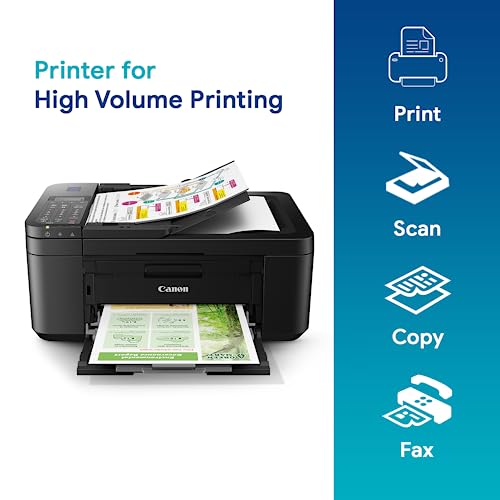
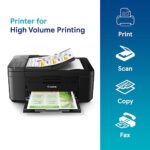
  • Inkjet 4-in-1: Print, Scan, Copy & Fax
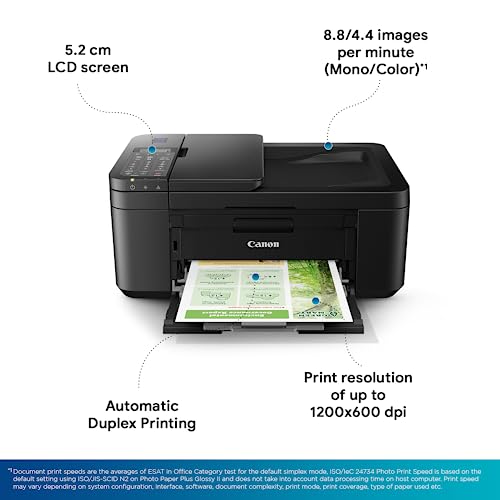
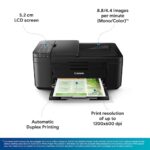
  • Color Printing, 4800 × 1200 dpi
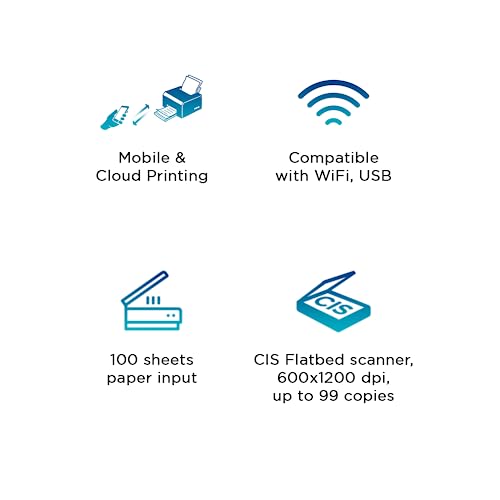
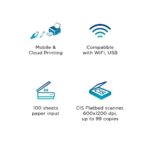
  • Wi-Fi, USB & Mobile Printing
  • Auto Duplex & ADF for multi-page jobs
  • Print Speed: 8.8 ipm Mono / 4.4 ipm Color
  • 100-Sheet Input, PG-47 & CL-57 Compatible Ink

Replacement Policy – Digitechshop

ReasonPeriodPolicy
Missing ProductWithin 2 days from delivery Replacement
Wrong ProductWithin 2 days from deliveryReplacement
Damaged ProductWithin 2 days from deliveryReplacement

Verification Process

All replacement requests will be verified by Digitechshop.
Customers must submit valid proof of the issue, such as photos, videos, or unboxing evidence, for verification.


Brand Warranty & Service

  • Brand assistance for device-related or technical issues is subject to the brand’s official warranty guidelines and service policies.

  • Customers are requested to contact the nearest authorized service center for further assistance.

  • During on-call support, you may be asked to upload images, download a diagnostic app, or connect with the brand directly.

  • Depending on your location, inspection may be carried out at your doorstep or at the nearest brand service center.

  • The final resolution may take up to 7 working days.


DOA (Dead on Arrival) & Replacement

Return or replacement is only applicable if:

  • The brand issues a DOA (Dead on Arrival) certificate, or

  • The part is unavailable for replacement.

If neither condition is met, replacement may not be applicable.


Warranty Handling

  • For products with a brand warranty, please contact the brand’s authorized service center directly.

  • For products without a warranty, service and related charges (if applicable) will be as per the brand’s policy.

  • On-site or off-site service charges are determined solely by the brand.


Exchange Process

If the brand approves an exchange, customers must:

  • Collect the Job Sheet from the brand’s technician, and

  • Share it with Digitechshop within 7 days from the delivery date to process the exchange.


Missing Parts/Accessories

For missing parts or accessories:

  • Please contact the brand’s customer care directly.

  • If verified by Digitechshop, we may dispatch the missing part, issue a partial refund, or provide a coupon.


Exclusions

Replacement is not applicable in the following cases:

  • Correct product delivered as per order

  • Customer’s change of mind or preference-based returns

  • Quality or performance-related dissatisfaction (covered under brand warranty only)

Free delivery

No shipping charge on this order

Regular delivery also available at less than 6 day(s)

4.5
7 reviews
3
3
0
0
0

7 reviews for Canon PIXMA E4570 All in One (Print, Scan, Copy) WiFi Ink Efficient Colour Printer with FAX and Auto Duplex Printing for Home/Office : Computers & Accessories

Clear filters
  1. Savita More

    5.0 out of 5 stars

    Good printer

    Good printer

  2. Lakshmi

    4.0 out of 5 stars

    Good for home printing, automated dual printing, pairs with mobile via Canon Print app

    Worried about using shops to print or copy important identity documents, tickets, applications for banks, visa, government etc., wanted a small printer / copier / scanner at home. You do not really need the scanner if you own a good smartphone these days, of course.Canon PIXMA E4570 is easy and quick to set up – entirely done through Canon website and app over the phone (Android). Pairs well with mobile over home WiFi; I have no trouble connecting to the printer from another room. There were other printers I considered (HP, EPSON) where reviewers said printing from a phone is not possible; not an issue here. I am sure it pairs well with Mac OSX and iOS but I haven’t tested it yet.Print quality is more than fine – I was looking for an alternative to shops, and its shop quality you get. If you are not careful, the ink / dye can easily smear on the paper. I love that the intensity of print for the “copy” function is controllable, but do not think this is available for the “print” function (or perhaps I haven’t figured it out). I particularly love that it is automated for dual page print.Since I bought this during the sale, the cost was around Rs 6700 in Apr-May 2024. Not sure about how fast the cartridges will run down, since I use it for occasional printing.UPDATE Dec-2024: Since Apr-May 2024, I have printed less than 100 pages. 25% of which were colour prints. But never really photos, merely pages with logos and such. The printer already shows a message that cartridge can be replaced. It prints fine though. If it yields only (say) 200 pages that a disappointing page yield.

    2 people found this helpful

  3. LL

    5.0 out of 5 stars

    It really is a Dual side automatic printer

    ~~~~update 2024/1/19~~~~1. I tested via mobile. Found canon mobile software is buggy. I tried multiple newnAndroid phones and also iPhone 6. Printer setup kept failing with error 3441. Finally after a couple hours realised that “easy setup” wizard is failing. There is another option called “direct setup” which prints wireless password to use to directly connect to printer – that finally worked. There is a button somewhere “if printer setup fails”, use that to do direct connection2. I tried Auto Document Feeder “scanning” finally. I left a bunch of Legal size papers on top tray and it automatically did scan them one by one – pretty cool. however it will not SCAN both sides automatically, just one side. If you need both sides scanned then you need to do turn pages manually. note that automatic dual side PRINTING works fine, just automatic dual SCANNING does not work3. A4 scanning via document feeder on top seems slightly buggy (A4sides getting cropper even when I turn off all software optimisation), but Legal scans workee well from top feeder. Here is recommendation – For A4 scans: i recommend using the GLASS panel manually, but note to set document size as “A4” (not letter, though both same?) and source “document planex”- For Legal scans: use top document FEEDER and in ‘Canon IF Scan software’ settings set source “document ADF simplex”~~~~~~original ~~~~~~My main criteria was that I needed a printer which could print double sided automatically. The title of product says “ADF duplex” but reading through all reviews I was VERY confused as everyone gave conflicting details. I may not understand whatADF means, maybe it means automated document feeder for “duplex SCANNING”?? I haven’t tested “duplex scanning” yet but I DID test duplex printing a lot . i am very pleased with purchase.Earlier, looking through Amazon I was going to purchase a diff printer for 25k as that one seemed to certainly support ADF/Duplex (per reviews) but I decided to take a chance with this one for 2 reasons (a) it was 40% less price at 8k and the title of product in listing did indicate that it DID support it (it was only in reviews that confused me). (b) few months back I had purchased another Canon ( PIXMA TR7020a Wireless All-In-One Inkjet Printer ) for $100 and it did dual page automatic printing so I was certain I didn’t need to spend more than rs.10k.. ….note, I did find another sub-10k printer on Amazon.in that was guaranteed to do dual page printing, but I realised it was only a black/white and couldn’t do color. This does both color & b/wHere is what all i tested1. Scanning works great. it can scan both A4 and legal.2. Printing is perfect for black/white and also color3. Dual page printing works perfectly. it’s AUTOMATED and I didn’t have to manually flip paper (like some reviewers have mentioned??)i haven’t tested via mobile yet but I am sure it will work (i had very bad experience with two HP printers, with one being a very expensive HP printer costing $220+, but with Canon I had no issues with wireless mobile, it was perfect..unfortunately i couldn’t find that model on Amazon.in). I tested with only computer USB connection this time. I will test mobile maybe soon if i get boredCON:Had some headaches with scanning. Scanner size is A4, so if you have “legal” size then you need to use Document Feeder entry on TOP of main lid. The document feeder on top does scan via LCD panel and also via the Canon Scan software. So first problem is that scanner glass panel size is fixed to A4, so if you need larger/longer or LEGAL then you need to use above feeder which is a bit slower/clunky to operate but it does work. second problem is that the scanning software is buggy – this is the biggest problem. I had this issue with BOTH A4 and LEGAL scans. Problem was that borders were chopped off. After spending 30 min debugging and experimenting with the Canon Scan software (downloaded during install) I was able to find the setting I needed to manipulate to make it not chop off edges randomly when it saw blank spaces (Note I was not able to configure these settings on the LCD panel as it had limited settings). Anyway I am an IT guy so I had the patience to experiment and figured it out but I don’t think everyone will.(hint I had to use ‘custom scan’ settings for avoiding chopping of LEGAL edges).if anyone needs anything tested message me and i can try it. Overall for 8k it’s an excellent printer

    64 people found this helpful

  4. Ravi

    5.0 out of 5 stars

    Worth every rupee

    I went for this printer as one of the reviews that I read was very persuasive. It has been one of the best decisions that I have taken. In typical Amazon fashion, the delivery was smooth and timely. I setup up the printer easily but after a few days noticed that the printer was not responding to print commands. I placed a service request with Epson Service Centre, in less than 24hours, a technician visited my house, installed the appropriate printer driver (I had chosen a broader one) and solved the issue! The print quality is fantastic, whether for home or for small office, this is a very good choice, indeed! Go for it! 👍

    5 people found this helpful

  5. Rahul GuptaRahul Gupta

    4.0 out of 5 stars

    Good for occasional printing. Extremely easy to use

    Cannon E4570.This was launched as a successor for E4270 (I searched everywhere but couldn’t find a credible source to explain the differences between the two). I researched extensively before purchase to find a printer which will fullfil the following criteria for me – wifi enabled (so that we can print with smartphone without opening the laptop), clear color print (decent for child’s homework, photo quality not required) and cheap to run. E4270 seem to fit all the criteria, so I ordered this. Even the canon authorised showroom didn’t have E4570 in stock, so ordered the E4570 off Amazon.Summary – fullfills top two criteria. Though is a little expensive if you do more than the occasional print.Delivery was 3 days earlier than the delivery date shown on Amazon, so that was great. It was just the printer box, with no outer packing. The box was sealed with cello tape, and not sealed, so I suspect it had been opened at some point. Thankfully, all the components were there, and the seal on the printer and cartridges were intact, so i was ok with the delivery.Setup was smooth on both my smartphone and laptop over wifi. I never had to use the usb cable. Setup was through the canon app on phone and the canon website (link for both given in manual), which guides step by step on how to setup. I did not face any challenges and the setup and printing has been smooth from all devices.Color prints are a bit faded on plain paper (75gsm). This might be a function of the paper and not the printer. The black&white prints are crisp and sharp. The print speed is decent.The only negative is the amount of ink consumption. While the box says 180 color prints and 300 b&w, both my cartridges are showing at 80% after 4 color print and around 30 b&w. Specially for color prints, the printer tends to drop the cartridge level by a notch after just 2-3 prints. I suspect the color cartridge will not last longer that 30-40 full color pages. Refilling the cartridges a few times is of course an option, but it is messy and requires practice. This is fine for me as I need color prints very rarely.A special mention for the ADF and duplex printing. Both the features are extremely useful. Duplex printing is especially unique in this price range, and comes in very handy while printing larger documents.Overall, I am happy with my purchase after couple of weeks of usage. I will update the review if I run into any issues.

    108 people found this helpful

  6. jannath

    4.0 out of 5 stars

    Good product

    Good product

  7. Sachin

    4.0 out of 5 stars

    A seamless printing experience, with scope for improvements in set up

    I bought this item in August 2022, and the delivery and packaging was as good and sturdy as I’ve come to expect from Amazon. Using the printer from my Macbook is a breeze over wifi, although printing over wifi from Android requires some poorly designed app from Canon and has no direct support.The only couple of issues I faced with this printer were during setup.1. Scanning the qr code for the setup guide didn’t actually lead to much of a guide, rather a boilerplate page. I would only much later find out the way from that page to the actual guide. Canon could do a better job of surfacing the online guide, as the image clarity in the included hard copy is quite poor.2. Installation of cartridges seemed to take forever – I must have removed and re-inserted them almost 5 times before they were properly detected. No error messages showed up, and I didn’t know if I had recieved a faulty product, or if I was doing something wrong.3. Never having owned a printer, and always using either copy shops or the huge laser printers at work, I ended up making a mistake in setting up the paper tray, leading to a jam at the first print itself. Thankfully it was straightforward to open up the printer from the back side and remove the torn pieces. Canon could do a better job of demonstrating how to set up the paper sheets – clearer access to the online guide might’ve helped here.Except for the these minor concerns in setup, I’m enjoying using this printer surprisingly, since printers (alongside projectors ) are usually the worst items ever developed by the electronics industry. I’ve used all the features so far – print ( colored, double sided), scan and copy and not faced any issues with quality, wifi or the cartridges.< Information on the number of color and black-and-white sheets from the initial set of cartridges to be added when I run out>

    97 people found this helpful

Add a review

Your email address will not be published. Required fields are marked *

You have to be logged in to be able to add photos to your review.

Description

From the manufacturer

SPN-FOR1SPN-FOR1
SPN-FOR1SPN-FOR1

 
Additional information
Brands

Canon printers Canon PIXMA Canon imageCLASS Canon MAXIFY Canon photo printers Buy Canon printers online Canon laser printers Canon accessories Best Canon printer deals Canon cameras and camcorders
Color

Black

Connectivity

,

Paper Size

A4

Printer Features

Printer Functionality

All in One

printer Technology

Printer Type

,

Products by Type

Reviews (7)
4.5
7 reviews
3
3
0
0
0

7 reviews for Canon PIXMA E4570 All in One (Print, Scan, Copy) WiFi Ink Efficient Colour Printer with FAX and Auto Duplex Printing for Home/Office : Computers & Accessories

Clear filters
  1. Savita More

    5.0 out of 5 stars

    Good printer

    Good printer

  2. Lakshmi

    4.0 out of 5 stars

    Good for home printing, automated dual printing, pairs with mobile via Canon Print app

    Worried about using shops to print or copy important identity documents, tickets, applications for banks, visa, government etc., wanted a small printer / copier / scanner at home. You do not really need the scanner if you own a good smartphone these days, of course.Canon PIXMA E4570 is easy and quick to set up – entirely done through Canon website and app over the phone (Android). Pairs well with mobile over home WiFi; I have no trouble connecting to the printer from another room. There were other printers I considered (HP, EPSON) where reviewers said printing from a phone is not possible; not an issue here. I am sure it pairs well with Mac OSX and iOS but I haven’t tested it yet.Print quality is more than fine – I was looking for an alternative to shops, and its shop quality you get. If you are not careful, the ink / dye can easily smear on the paper. I love that the intensity of print for the “copy” function is controllable, but do not think this is available for the “print” function (or perhaps I haven’t figured it out). I particularly love that it is automated for dual page print.Since I bought this during the sale, the cost was around Rs 6700 in Apr-May 2024. Not sure about how fast the cartridges will run down, since I use it for occasional printing.UPDATE Dec-2024: Since Apr-May 2024, I have printed less than 100 pages. 25% of which were colour prints. But never really photos, merely pages with logos and such. The printer already shows a message that cartridge can be replaced. It prints fine though. If it yields only (say) 200 pages that a disappointing page yield.

    2 people found this helpful

  3. LL

    5.0 out of 5 stars

    It really is a Dual side automatic printer

    ~~~~update 2024/1/19~~~~1. I tested via mobile. Found canon mobile software is buggy. I tried multiple newnAndroid phones and also iPhone 6. Printer setup kept failing with error 3441. Finally after a couple hours realised that “easy setup” wizard is failing. There is another option called “direct setup” which prints wireless password to use to directly connect to printer – that finally worked. There is a button somewhere “if printer setup fails”, use that to do direct connection2. I tried Auto Document Feeder “scanning” finally. I left a bunch of Legal size papers on top tray and it automatically did scan them one by one – pretty cool. however it will not SCAN both sides automatically, just one side. If you need both sides scanned then you need to do turn pages manually. note that automatic dual side PRINTING works fine, just automatic dual SCANNING does not work3. A4 scanning via document feeder on top seems slightly buggy (A4sides getting cropper even when I turn off all software optimisation), but Legal scans workee well from top feeder. Here is recommendation – For A4 scans: i recommend using the GLASS panel manually, but note to set document size as “A4” (not letter, though both same?) and source “document planex”- For Legal scans: use top document FEEDER and in ‘Canon IF Scan software’ settings set source “document ADF simplex”~~~~~~original ~~~~~~My main criteria was that I needed a printer which could print double sided automatically. The title of product says “ADF duplex” but reading through all reviews I was VERY confused as everyone gave conflicting details. I may not understand whatADF means, maybe it means automated document feeder for “duplex SCANNING”?? I haven’t tested “duplex scanning” yet but I DID test duplex printing a lot . i am very pleased with purchase.Earlier, looking through Amazon I was going to purchase a diff printer for 25k as that one seemed to certainly support ADF/Duplex (per reviews) but I decided to take a chance with this one for 2 reasons (a) it was 40% less price at 8k and the title of product in listing did indicate that it DID support it (it was only in reviews that confused me). (b) few months back I had purchased another Canon ( PIXMA TR7020a Wireless All-In-One Inkjet Printer ) for $100 and it did dual page automatic printing so I was certain I didn’t need to spend more than rs.10k.. ….note, I did find another sub-10k printer on Amazon.in that was guaranteed to do dual page printing, but I realised it was only a black/white and couldn’t do color. This does both color & b/wHere is what all i tested1. Scanning works great. it can scan both A4 and legal.2. Printing is perfect for black/white and also color3. Dual page printing works perfectly. it’s AUTOMATED and I didn’t have to manually flip paper (like some reviewers have mentioned??)i haven’t tested via mobile yet but I am sure it will work (i had very bad experience with two HP printers, with one being a very expensive HP printer costing $220+, but with Canon I had no issues with wireless mobile, it was perfect..unfortunately i couldn’t find that model on Amazon.in). I tested with only computer USB connection this time. I will test mobile maybe soon if i get boredCON:Had some headaches with scanning. Scanner size is A4, so if you have “legal” size then you need to use Document Feeder entry on TOP of main lid. The document feeder on top does scan via LCD panel and also via the Canon Scan software. So first problem is that scanner glass panel size is fixed to A4, so if you need larger/longer or LEGAL then you need to use above feeder which is a bit slower/clunky to operate but it does work. second problem is that the scanning software is buggy – this is the biggest problem. I had this issue with BOTH A4 and LEGAL scans. Problem was that borders were chopped off. After spending 30 min debugging and experimenting with the Canon Scan software (downloaded during install) I was able to find the setting I needed to manipulate to make it not chop off edges randomly when it saw blank spaces (Note I was not able to configure these settings on the LCD panel as it had limited settings). Anyway I am an IT guy so I had the patience to experiment and figured it out but I don’t think everyone will.(hint I had to use ‘custom scan’ settings for avoiding chopping of LEGAL edges).if anyone needs anything tested message me and i can try it. Overall for 8k it’s an excellent printer

    64 people found this helpful

  4. Ravi

    5.0 out of 5 stars

    Worth every rupee

    I went for this printer as one of the reviews that I read was very persuasive. It has been one of the best decisions that I have taken. In typical Amazon fashion, the delivery was smooth and timely. I setup up the printer easily but after a few days noticed that the printer was not responding to print commands. I placed a service request with Epson Service Centre, in less than 24hours, a technician visited my house, installed the appropriate printer driver (I had chosen a broader one) and solved the issue! The print quality is fantastic, whether for home or for small office, this is a very good choice, indeed! Go for it! 👍

    5 people found this helpful

  5. Rahul GuptaRahul Gupta

    4.0 out of 5 stars

    Good for occasional printing. Extremely easy to use

    Cannon E4570.This was launched as a successor for E4270 (I searched everywhere but couldn’t find a credible source to explain the differences between the two). I researched extensively before purchase to find a printer which will fullfil the following criteria for me – wifi enabled (so that we can print with smartphone without opening the laptop), clear color print (decent for child’s homework, photo quality not required) and cheap to run. E4270 seem to fit all the criteria, so I ordered this. Even the canon authorised showroom didn’t have E4570 in stock, so ordered the E4570 off Amazon.Summary – fullfills top two criteria. Though is a little expensive if you do more than the occasional print.Delivery was 3 days earlier than the delivery date shown on Amazon, so that was great. It was just the printer box, with no outer packing. The box was sealed with cello tape, and not sealed, so I suspect it had been opened at some point. Thankfully, all the components were there, and the seal on the printer and cartridges were intact, so i was ok with the delivery.Setup was smooth on both my smartphone and laptop over wifi. I never had to use the usb cable. Setup was through the canon app on phone and the canon website (link for both given in manual), which guides step by step on how to setup. I did not face any challenges and the setup and printing has been smooth from all devices.Color prints are a bit faded on plain paper (75gsm). This might be a function of the paper and not the printer. The black&white prints are crisp and sharp. The print speed is decent.The only negative is the amount of ink consumption. While the box says 180 color prints and 300 b&w, both my cartridges are showing at 80% after 4 color print and around 30 b&w. Specially for color prints, the printer tends to drop the cartridge level by a notch after just 2-3 prints. I suspect the color cartridge will not last longer that 30-40 full color pages. Refilling the cartridges a few times is of course an option, but it is messy and requires practice. This is fine for me as I need color prints very rarely.A special mention for the ADF and duplex printing. Both the features are extremely useful. Duplex printing is especially unique in this price range, and comes in very handy while printing larger documents.Overall, I am happy with my purchase after couple of weeks of usage. I will update the review if I run into any issues.

    108 people found this helpful

  6. jannath

    4.0 out of 5 stars

    Good product

    Good product

  7. Sachin

    4.0 out of 5 stars

    A seamless printing experience, with scope for improvements in set up

    I bought this item in August 2022, and the delivery and packaging was as good and sturdy as I’ve come to expect from Amazon. Using the printer from my Macbook is a breeze over wifi, although printing over wifi from Android requires some poorly designed app from Canon and has no direct support.The only couple of issues I faced with this printer were during setup.1. Scanning the qr code for the setup guide didn’t actually lead to much of a guide, rather a boilerplate page. I would only much later find out the way from that page to the actual guide. Canon could do a better job of surfacing the online guide, as the image clarity in the included hard copy is quite poor.2. Installation of cartridges seemed to take forever – I must have removed and re-inserted them almost 5 times before they were properly detected. No error messages showed up, and I didn’t know if I had recieved a faulty product, or if I was doing something wrong.3. Never having owned a printer, and always using either copy shops or the huge laser printers at work, I ended up making a mistake in setting up the paper tray, leading to a jam at the first print itself. Thankfully it was straightforward to open up the printer from the back side and remove the torn pieces. Canon could do a better job of demonstrating how to set up the paper sheets – clearer access to the online guide might’ve helped here.Except for the these minor concerns in setup, I’m enjoying using this printer surprisingly, since printers (alongside projectors ) are usually the worst items ever developed by the electronics industry. I’ve used all the features so far – print ( colored, double sided), scan and copy and not faced any issues with quality, wifi or the cartridges.< Information on the number of color and black-and-white sheets from the initial set of cartridges to be added when I run out>

    97 people found this helpful

Add a review

Your email address will not be published. Required fields are marked *

You have to be logged in to be able to add photos to your review.

About Canon
Buy original Canon printers, cameras & accessories online at best prices from Digitechshop with fast delivery across India.

Shop genuine Canon products online at Digitechshop, India’s trusted destination for inkjet printers, laser printers, multifunction printers, ink bottles, toner cartridges, documents scanners, and camera accessories. Canon is a globally leading brand known for its high-quality printing, imaging technology, durability, and advanced features.

From home printers to office multifunction machines and commercial printing devices, Canon offers reliable performance and outstanding print clarity. At Digitechshop, you get 100% original Canon products with manufacturer warranty, best-price offers, expert support, and fast delivery across India.

Whether you are a student, business owner, office user, or photography enthusiast, Canon delivers professional-grade solutions for all printing and imaging needs.