




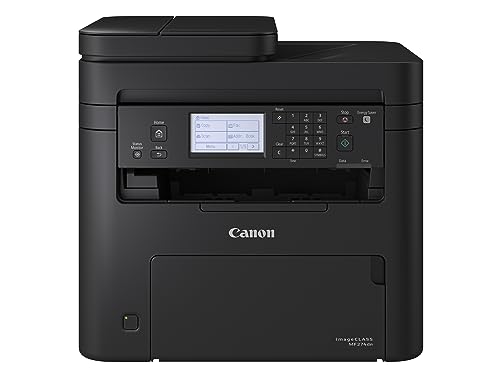
Canon imageCLASS LBP172dw – Monochrome Duplex, Wireless Laser Printer, Single Function, Home Office, Mobile Ready, 1 Year Limited Warranty, 35 PPM, White : Computers & Accessories

(10 customer reviews)

Original price was: ₹26,695.Current price is: ₹25,014. (incl. of all taxes)

491 Items sold in last month
67 People watching this product now!

Out of stock

This product is currently sold out.

No worries! Enter your email, and we'll let you know as soon as it's back in stock.

Sign Up & Earn Rs.300 Digitech Wallet Credit

& save extra money on your next purchase.

Out of stock

This product is currently sold out.

No worries! Enter your email, and we'll let you know as soon as it's back in stock.

Key Features:

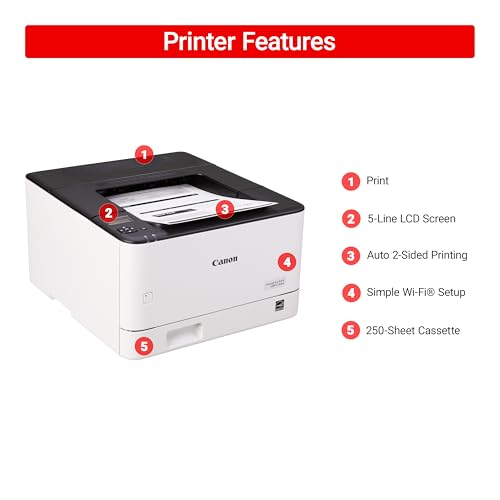
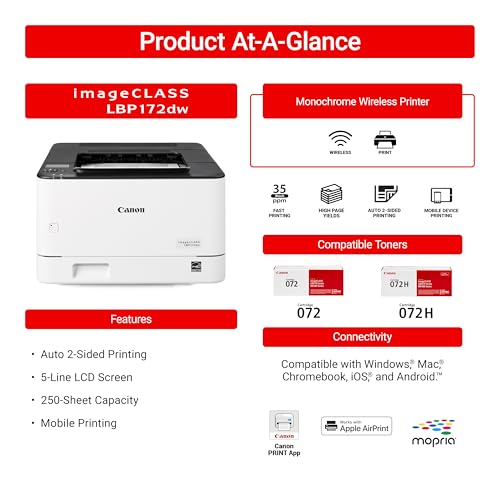
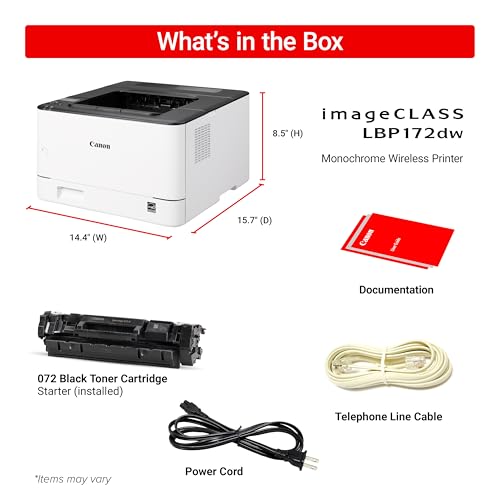
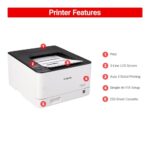
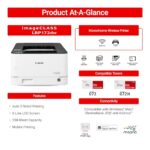
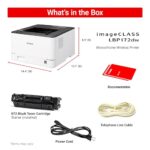
  • Wireless, monochrome duplex printer (print only)
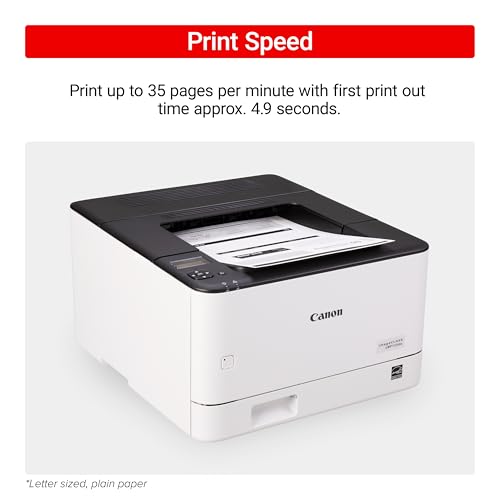
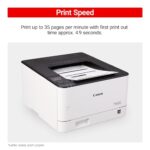
  • Print up to 35 pages per minute
  • Uses Toner 072 / 072 high-capacity toner
  • 250-sheet standard cassette
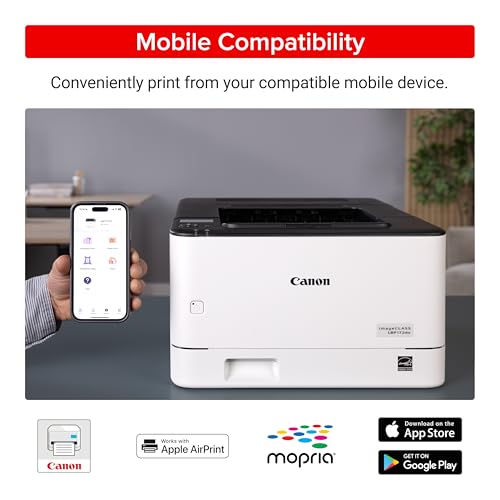
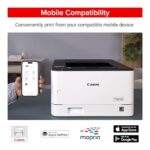
  • Print on-the-go with Canon PRINT app, Apple Airprint, Mopria Print Service
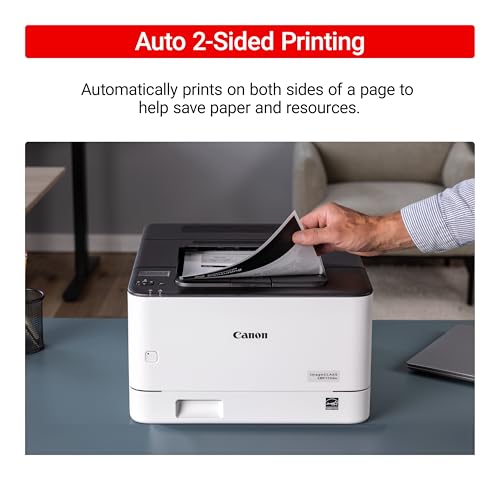
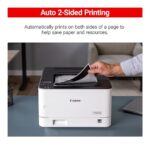
  • Auto 2-sided printing saves resources

Replacement Policy – Digitechshop

ReasonPeriodPolicy
Missing ProductWithin 2 days from delivery Replacement
Wrong ProductWithin 2 days from deliveryReplacement
Damaged ProductWithin 2 days from deliveryReplacement

Verification Process

All replacement requests will be verified by Digitechshop.
Customers must submit valid proof of the issue, such as photos, videos, or unboxing evidence, for verification.


Brand Warranty & Service

  • Brand assistance for device-related or technical issues is subject to the brand’s official warranty guidelines and service policies.

  • Customers are requested to contact the nearest authorized service center for further assistance.

  • During on-call support, you may be asked to upload images, download a diagnostic app, or connect with the brand directly.

  • Depending on your location, inspection may be carried out at your doorstep or at the nearest brand service center.

  • The final resolution may take up to 7 working days.


DOA (Dead on Arrival) & Replacement

Return or replacement is only applicable if:

  • The brand issues a DOA (Dead on Arrival) certificate, or

  • The part is unavailable for replacement.

If neither condition is met, replacement may not be applicable.


Warranty Handling

  • For products with a brand warranty, please contact the brand’s authorized service center directly.

  • For products without a warranty, service and related charges (if applicable) will be as per the brand’s policy.

  • On-site or off-site service charges are determined solely by the brand.


Exchange Process

If the brand approves an exchange, customers must:

  • Collect the Job Sheet from the brand’s technician, and

  • Share it with Digitechshop within 7 days from the delivery date to process the exchange.


Missing Parts/Accessories

For missing parts or accessories:

  • Please contact the brand’s customer care directly.

  • If verified by Digitechshop, we may dispatch the missing part, issue a partial refund, or provide a coupon.


Exclusions

Replacement is not applicable in the following cases:

  • Correct product delivered as per order

  • Customer’s change of mind or preference-based returns

  • Quality or performance-related dissatisfaction (covered under brand warranty only)

Free delivery

No shipping charge on this order

Regular delivery also available at less than 6 day(s)

5
10 reviews
9
0
0
0
0

10 reviews for Canon imageCLASS LBP172dw – Monochrome Duplex, Wireless Laser Printer, Single Function, Home Office, Mobile Ready, 1 Year Limited Warranty, 35 PPM, White : Computers & Accessories

Clear filters
  1. Ken

    Review

    This seems to be a very nice and able to automatically print on both sides of the paper printer. I’ve been always pleased with products that I’ve purchased from Canon. I connected it to my computer with an it does not come with the printer USB cable. Since there were a number of negative reviews about set-up, and unfortunately printers are no longer simple to deal with, I’m writing about what I did. There are two ports in the rear and the set-up instructions could have been better about how to use each port. There is a warning on the rear and in the set up not to connect a USB cable (it was not clear about what to do if you used the other port) until you power the printer on in the front after connecting the power cable. Then you run through the simple set-up on the front control panel. After that you connect the USB cable. Because of my concerns about complexity of set-up with these things, I kept away from using WIFI, and found a Canon Mastersetupv220 application on the Canon USA website for this printer. I ran that in order to install needed drivers and software for Windows 11. It worked simply and flawlessly. My only concern was that it also installed some Canon App that did not make it clear that it was gathering user information for both Canon and Google. After noticing the App and looking into it, I uninstalled it, and doing that did not affect the printer’s operation.

    7 people found this helpful

  2. Ricardo

    Good printer

    Good product, work fast as adviced

  3. Frank Einstein

    works as expected, though set up is difficult, use the youtube video

    works as expected, though set up is difficult, use the youtube video

    One person found this helpful

  4. M. L. Walz

    Nice printer

    We ditched our HP inkjet for this wonderful printer. No issues yet.

  5. JoAnn Coleman

    Canon printer

    Excellent choice. Easy to set up. Beautiful prints. Quietly efficient. Highly recommend.

    One person found this helpful

  6. ciscojv2004

    prints great, service is TERRIBLE, and must be hard wired to the laptop. Forget going wireless

    ill cant get it to work wirelessUpdate__ THEY COULD NOT MAKE IR WORK WIRELSS AND HAD ME HARDWIRE IT TO USB. HAVE TO TAKE THE LAPTOP TO THE BEDROOM TO USE TH PRINTER. ORDERED A VERY LONG USB CABLE AND MOVED THE PRINTRER IN THE LIVINHG ROOM. WORKED FOR FEW DAYS AND FAILED. CANT GET TO SUPPORT WITHOUT PAYING (FOR BAN INITIAL INSTALLATION PROBLEM THEY COULD NOT FIX IN 4 HOURS, AND THEY NEVER GOTNIT WORKING WIRELESS. SUPPORT IS NON-E XISTENT OR ONLY PARTIALLY EFFECTIVE. I THREW OUT AN HP AND REPLACED IT WITH THIS THING AND IT WAS A GREAT MISTAKE. DON’T WASTE YOUR MONEY OR TIME ON THIS PRINTER!! BOUGHT 7/30/2025, THIS UPDATE 12/7/2025. I ONLY PRINT A FEW PAGES A MONTH AND CANNOT COUNT ON THIS THING TO EVEN DO THAT. I TOSSED OUT THE WRONG PIECE OF JUNK

    4 people found this helpful

  7. Catholic Charities Tompkins Tioga

    It is a good printer

    This printer is good for a house or a small business. Quiet and fast.

    One person found this helpful

  8. Amazon Customer

    No USB Cord Included

    Kind of dumb that there’s no USB cord included. Just a power cord. I’m sure the printer works great probably… Just can’t set it up right out of the box to know for sure.

    2 people found this helpful

  9. william

    Connecting computers

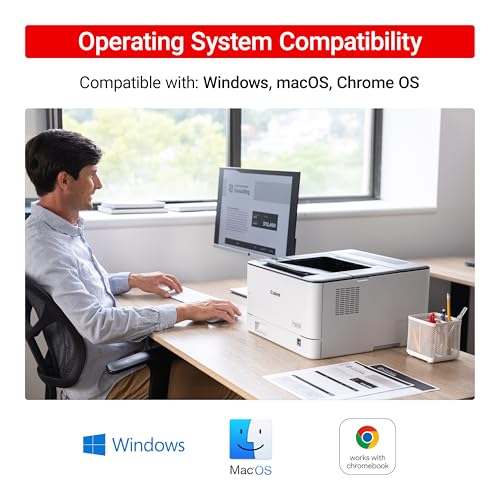
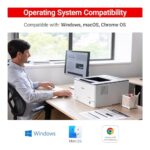
    You can only use copier with windows 10 and above

    One person found this helpful

  10. Customer Review

    Value printer

    It’s a decent printer if you want a very basic and good-value setup. It does not have all the bells and whistles of the more expensive models. Setup was tricky for me; I initially could not get it to pair with the WiFi. After some time, it just started connecting. The printer does not come with a USB cable.I am using MacOS, so as soon as the printer was connected to the WiFi, I was able to print on my laptop. It is capable of printing up to 35 pages a minute, but I don’t ever print that much. I tested it on some documents, and the print was clean. No issues with misprints or faded areas. Keep in mind that this is a Black and White printer only. I would say this is a decent printer if this is all that you need. This printer is for the occasional user who does not need Fax or Scan.

    3 people found this helpful

Add a review

Your email address will not be published. Required fields are marked *

You have to be logged in to be able to add photos to your review.

Description

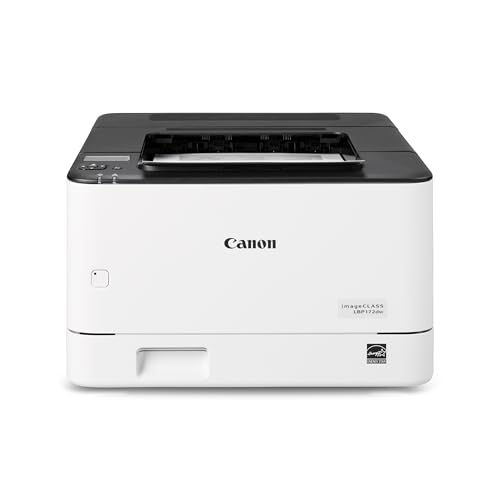
Designed for small office environments, the imageCLASS LBP172dw model balances speedy performance and minimal maintenance. The LBP172dw is compact and easy to use. Print crisp black and white documents with fast print speeds of up to 35 pages per minute, using high quality Canon Genuine Toner 072 / 072 H. Print 2-sided documents to save paper and limit replacements. Keep printing with a plain paper capacity of up to 250 sheets. Easily connect wirelessly from computers or mobile devices. Print using a variety of mobile apps, including the Canon PRINT app using your compatible mobile device. The LBP172dw comes with a 1-year limited warranty and is backed by Canon’s friendly and knowledgeable customer support team.

Additional information
Brands

Canon printers Canon PIXMA Canon imageCLASS Canon MAXIFY Canon photo printers Buy Canon printers online Canon laser printers Canon accessories Best Canon printer deals Canon cameras and camcorders
Color

Arctic White

Connectivity

Printer Features

Printer Functionality

Print Only (Single Function)

printer Technology

Printer Type

Products by Type

Reviews (10)
5
10 reviews
9
0
0
0
0

10 reviews for Canon imageCLASS LBP172dw – Monochrome Duplex, Wireless Laser Printer, Single Function, Home Office, Mobile Ready, 1 Year Limited Warranty, 35 PPM, White : Computers & Accessories

Clear filters
  1. Ken

    Review

    This seems to be a very nice and able to automatically print on both sides of the paper printer. I’ve been always pleased with products that I’ve purchased from Canon. I connected it to my computer with an it does not come with the printer USB cable. Since there were a number of negative reviews about set-up, and unfortunately printers are no longer simple to deal with, I’m writing about what I did. There are two ports in the rear and the set-up instructions could have been better about how to use each port. There is a warning on the rear and in the set up not to connect a USB cable (it was not clear about what to do if you used the other port) until you power the printer on in the front after connecting the power cable. Then you run through the simple set-up on the front control panel. After that you connect the USB cable. Because of my concerns about complexity of set-up with these things, I kept away from using WIFI, and found a Canon Mastersetupv220 application on the Canon USA website for this printer. I ran that in order to install needed drivers and software for Windows 11. It worked simply and flawlessly. My only concern was that it also installed some Canon App that did not make it clear that it was gathering user information for both Canon and Google. After noticing the App and looking into it, I uninstalled it, and doing that did not affect the printer’s operation.

    7 people found this helpful

  2. Ricardo

    Good printer

    Good product, work fast as adviced

  3. Frank Einstein

    works as expected, though set up is difficult, use the youtube video

    works as expected, though set up is difficult, use the youtube video

    One person found this helpful

  4. M. L. Walz

    Nice printer

    We ditched our HP inkjet for this wonderful printer. No issues yet.

  5. JoAnn Coleman

    Canon printer

    Excellent choice. Easy to set up. Beautiful prints. Quietly efficient. Highly recommend.

    One person found this helpful

  6. ciscojv2004

    prints great, service is TERRIBLE, and must be hard wired to the laptop. Forget going wireless

    ill cant get it to work wirelessUpdate__ THEY COULD NOT MAKE IR WORK WIRELSS AND HAD ME HARDWIRE IT TO USB. HAVE TO TAKE THE LAPTOP TO THE BEDROOM TO USE TH PRINTER. ORDERED A VERY LONG USB CABLE AND MOVED THE PRINTRER IN THE LIVINHG ROOM. WORKED FOR FEW DAYS AND FAILED. CANT GET TO SUPPORT WITHOUT PAYING (FOR BAN INITIAL INSTALLATION PROBLEM THEY COULD NOT FIX IN 4 HOURS, AND THEY NEVER GOTNIT WORKING WIRELESS. SUPPORT IS NON-E XISTENT OR ONLY PARTIALLY EFFECTIVE. I THREW OUT AN HP AND REPLACED IT WITH THIS THING AND IT WAS A GREAT MISTAKE. DON’T WASTE YOUR MONEY OR TIME ON THIS PRINTER!! BOUGHT 7/30/2025, THIS UPDATE 12/7/2025. I ONLY PRINT A FEW PAGES A MONTH AND CANNOT COUNT ON THIS THING TO EVEN DO THAT. I TOSSED OUT THE WRONG PIECE OF JUNK

    4 people found this helpful

  7. Catholic Charities Tompkins Tioga

    It is a good printer

    This printer is good for a house or a small business. Quiet and fast.

    One person found this helpful

  8. Amazon Customer

    No USB Cord Included

    Kind of dumb that there’s no USB cord included. Just a power cord. I’m sure the printer works great probably… Just can’t set it up right out of the box to know for sure.

    2 people found this helpful

  9. william

    Connecting computers

    You can only use copier with windows 10 and above

    One person found this helpful

  10. Customer Review

    Value printer

    It’s a decent printer if you want a very basic and good-value setup. It does not have all the bells and whistles of the more expensive models. Setup was tricky for me; I initially could not get it to pair with the WiFi. After some time, it just started connecting. The printer does not come with a USB cable.I am using MacOS, so as soon as the printer was connected to the WiFi, I was able to print on my laptop. It is capable of printing up to 35 pages a minute, but I don’t ever print that much. I tested it on some documents, and the print was clean. No issues with misprints or faded areas. Keep in mind that this is a Black and White printer only. I would say this is a decent printer if this is all that you need. This printer is for the occasional user who does not need Fax or Scan.

    3 people found this helpful

Add a review

Your email address will not be published. Required fields are marked *

You have to be logged in to be able to add photos to your review.

About Canon
Buy original Canon printers, cameras & accessories online at best prices from Digitechshop with fast delivery across India.

Shop genuine Canon products online at Digitechshop, India’s trusted destination for inkjet printers, laser printers, multifunction printers, ink bottles, toner cartridges, documents scanners, and camera accessories. Canon is a globally leading brand known for its high-quality printing, imaging technology, durability, and advanced features.

From home printers to office multifunction machines and commercial printing devices, Canon offers reliable performance and outstanding print clarity. At Digitechshop, you get 100% original Canon products with manufacturer warranty, best-price offers, expert support, and fast delivery across India.

Whether you are a student, business owner, office user, or photography enthusiast, Canon delivers professional-grade solutions for all printing and imaging needs.