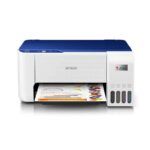







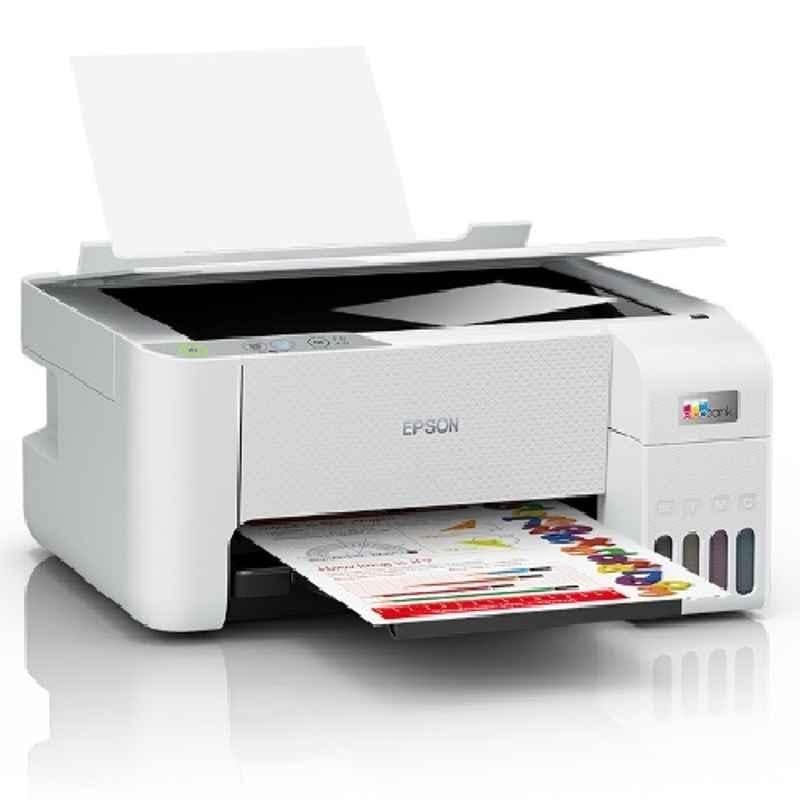
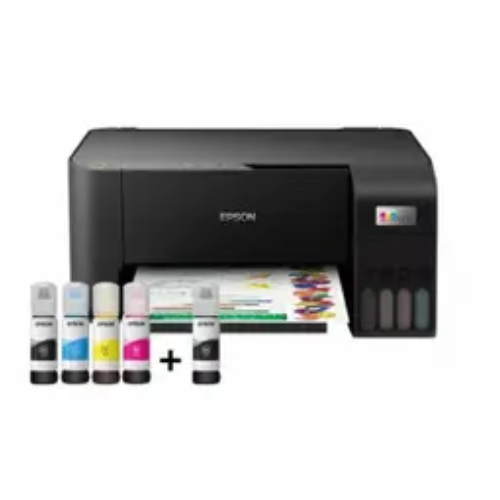
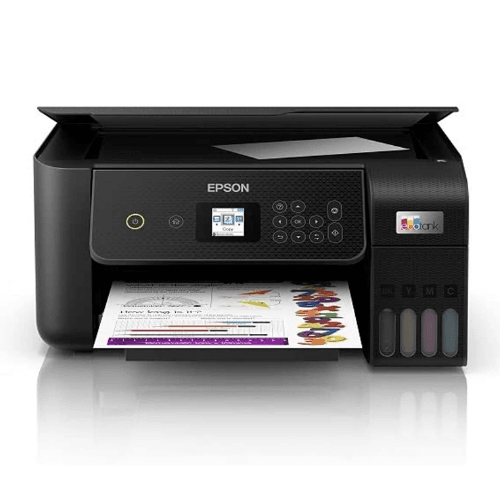
Buy Canon PIXMA MegaTank G3730 All-in-One (Print, Scan, Copy) Wireless Inktank Colour Printer with 2 Years Warranty Online at Low Prices in India | Canon Reviews & Ratings

(10 customer reviews)

This product is currently out of stock and unavailable.

Sign Up & Earn Rs.300 Digitech Wallet Credit

& save extra money on your next purchase.

This product is currently out of stock and unavailable.

Key Features:

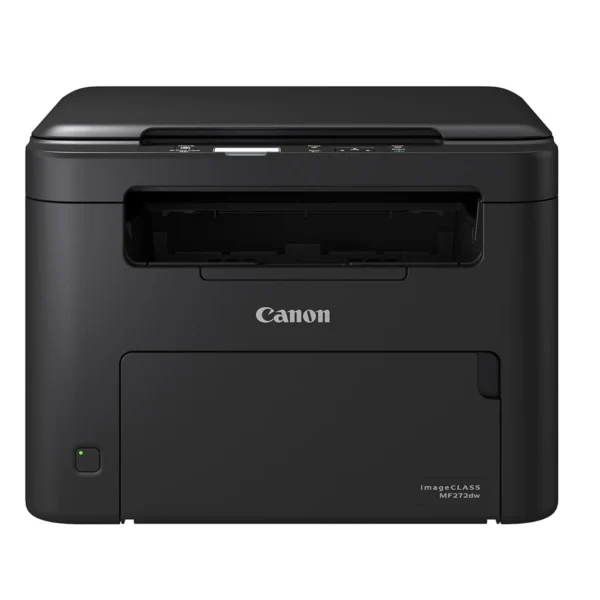
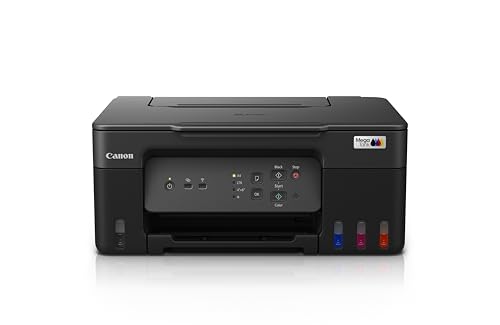
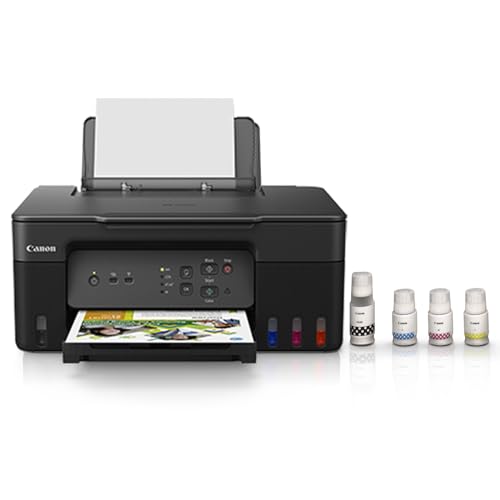
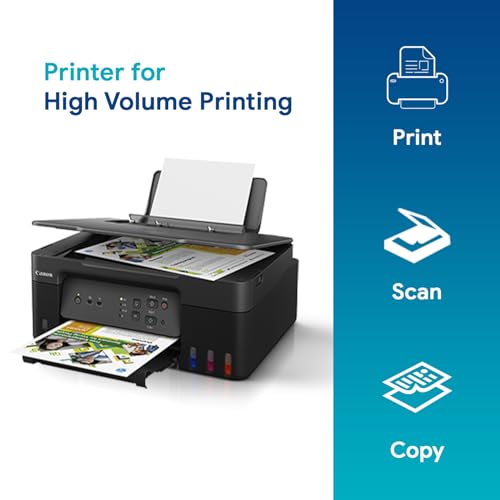
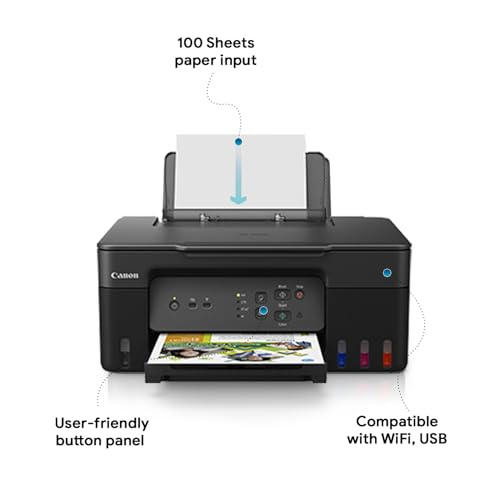
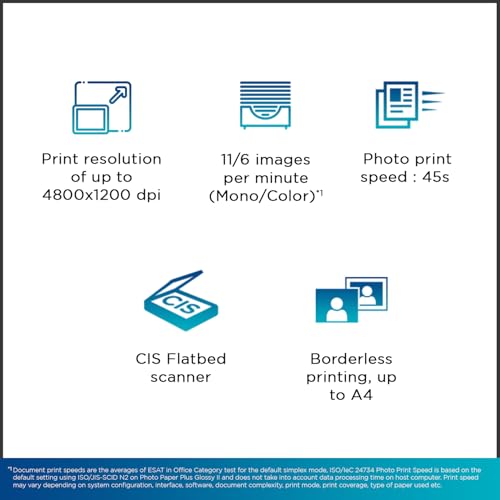
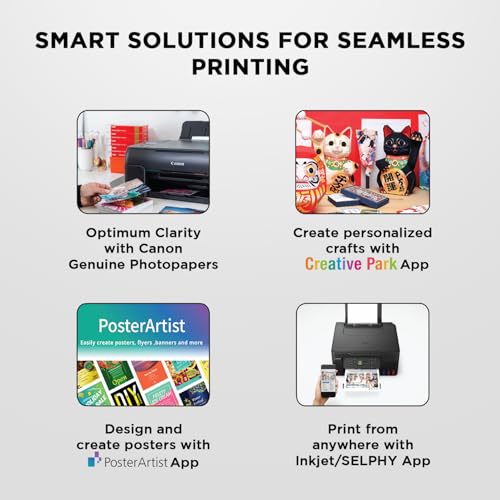
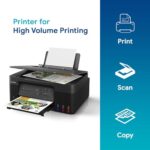
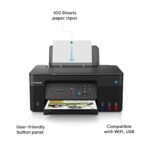
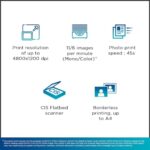
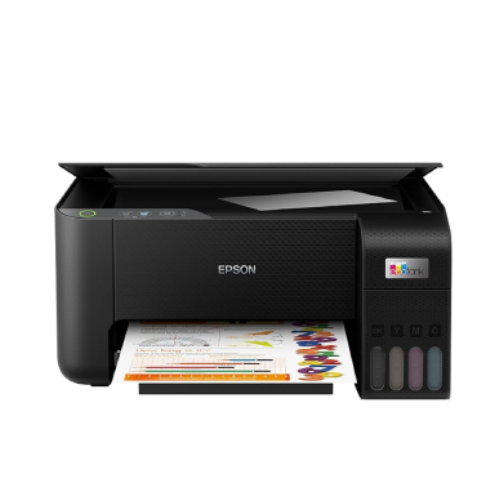
About this item Printer type: Inkjet ; Functions: Print, Scan, Copy ; Printer output: Colour ; Connectivity: Wi-Fi, AirPrint, Mopria, Direct Wireless, USB 2.0 ; Scanner: Yes ; Scanner resolution:600 x 1200dpi OS Compatibility: Windows 11 / 10 / 8.1 / 7 SP1 (operation can only be guaranteed on a PC with a pre-installed Windows 7 or later), macOS 10.14.6 – 12 or later, Chrome OS; Mobile connectivity : Yes (via Canon Print Service, PIXMA Cloud Link, Canon PRINT Inkjet/SELPHY, Airprint); Hardware Interface: USB 2.0 ; Enlarge/reduce option: No ; Duplex: No Print Yield: Mono- 3100 prints, Color- 4400 prints (as per ISO/IEC 24711 (for A4 size) using ISO/IEC 24712 test file.), Maximum Print Speed: 11/6 (mono/color) images per minute; Print cost Monochrome: Rs 0.13 ; Print cost color: Rs 0.25 ; Maximum Print Resolution: 4800 x 1200 dpi Page size: A4, A5, A6, B5, LTR, LGL, Executive, Oficio2, B-Oficio, M-Oficio, Legal (India), Foolscap, F4, 4 x 6″, 5 x 7″, 7 x 10″, 8 x 10″, Envelopes , Square, Card Size ,Custom Size- Width: 55 – 216 mm, Length: 89 – 1,200 mm; Max paper thickness: 64 to 275 GSM ; Maximum Input Sheet Capacity: 100 sheets (A4); Compatible ink:GI 71 Cyan, Magenta, Yellow, Black; Additional Printer Function:, Print modes- Standard and Economy ; Power wattage of printer: OFF: 0.1W, Standby (scanning lamp is off):0.6W, Copying (USB connection to PC): 16W Special Features: Borderless Print, Camera Direct via Wireless LAN; Ideal Usage: Home, Home Office; Included Components: Printer, Power Cord, USB cable, Instruction Manual, 1 set of GI71S Cyan, Magenta, Yellow and Black ink bottles Warranty: 2 Years or 30,000 prints whichever is earlier (Including print heads) onsite warranty from the date of purchase. Warranty applicable on manufacturing defects only.

Replacement Policy – Digitechshop

ReasonPeriodPolicy
Missing ProductWithin 2 days from delivery Replacement
Wrong ProductWithin 2 days from deliveryReplacement
Damaged ProductWithin 2 days from deliveryReplacement

Verification Process

All replacement requests will be verified by Digitechshop.
Customers must submit valid proof of the issue, such as photos, videos, or unboxing evidence, for verification.


Brand Warranty & Service

  • Brand assistance for device-related or technical issues is subject to the brand’s official warranty guidelines and service policies.

  • Customers are requested to contact the nearest authorized service center for further assistance.

  • During on-call support, you may be asked to upload images, download a diagnostic app, or connect with the brand directly.

  • Depending on your location, inspection may be carried out at your doorstep or at the nearest brand service center.

  • The final resolution may take up to 7 working days.


DOA (Dead on Arrival) & Replacement

Return or replacement is only applicable if:

  • The brand issues a DOA (Dead on Arrival) certificate, or

  • The part is unavailable for replacement.

If neither condition is met, replacement may not be applicable.


Warranty Handling

  • For products with a brand warranty, please contact the brand’s authorized service center directly.

  • For products without a warranty, service and related charges (if applicable) will be as per the brand’s policy.

  • On-site or off-site service charges are determined solely by the brand.


Exchange Process

If the brand approves an exchange, customers must:

  • Collect the Job Sheet from the brand’s technician, and

  • Share it with Digitechshop within 7 days from the delivery date to process the exchange.


Missing Parts/Accessories

For missing parts or accessories:

  • Please contact the brand’s customer care directly.

  • If verified by Digitechshop, we may dispatch the missing part, issue a partial refund, or provide a coupon.


Exclusions

Replacement is not applicable in the following cases:

  • Correct product delivered as per order

  • Customer’s change of mind or preference-based returns

  • Quality or performance-related dissatisfaction (covered under brand warranty only)

Free delivery

No shipping charge on this order

Regular delivery also available at less than 6 day(s)

4.2
10 reviews
5
3
0
0
1

10 reviews for Buy Canon PIXMA MegaTank G3730 All-in-One (Print, Scan, Copy) Wireless Inktank Colour Printer with 2 Years Warranty Online at Low Prices in India | Canon Reviews & Ratings

Clear filters
  1. Prashant Nair

    5.0 out of 5 stars

    Easy Printing & Scanning with your Mobile. Wirelessly!!!

    Using it for 2 years now and works without an issue! The quality and ease of printing makes everything worth it. And everything can be done wirelessly from your mobile.

  2. MohsinkhanMohsinkhan

    4.0 out of 5 stars

    Value of money product

    Awesome Product, Good quality

  3. TAMAL DAS

    5.0 out of 5 stars

    Nice product

    Printer is very good. And one more thing that I should say is that the service of canon is extremely good. The day when the product was delivered at my house on that day itself the installation was done by canon. Print speed is ok rather I will say it is little slow, print quality is good and is a value for money product for me as I got the product at ₹10499 only with 2years of warranty. But one thing I should definitely mention is that the time taken by Amazon to deliver the product at my home is around 8to9 days from the date of order. So I think amazon should work on it so that the delivery time is reduced.

    2 people found this helpful

  4. Riju Srivastava

    1.0 out of 5 stars

    Time and money wasted. Don’t buy

    I bought this printer with so many expectations, specifically for the kids to help in their studies. Now I dread everytime I have to take a printout. It takes forever to connect, sometimes doesn’t even connect. The lights keep on blinking.Atleast 45 minutes everytime I have to take a printout. Takes a lot of patience and restraint to not throw this garbage from my 4th floor balcony that i bought for 13.5k.Please don’t waste your hard earned money.Edit: I finally picked up my kid’s bat and broke the thing. Though I had a choice of selling it off, I didn’t want to antagonize another person who would have paid his hard earned money.

    6 people found this helpful

  5. Sha Infotech

    5.0 out of 5 stars

    Good quality

    It’s a very good Wifi printer with 2 years warranty

  6. yogesh shinde

    5.0 out of 5 stars

    Best printer in this price section

    Overall good product

  7. Praveen Dorna

    4.0 out of 5 stars

    Decent Printer

    Its pretty good but in few days of buying, was having some connectivity issues to print and took me a day to fix it. Also the color print is taking lot of time to print each page in comparison to black and white. My previous Canon Printer was better than this but overall decent printer to buy.

    3 people found this helpful

  8. Bhavya a.

    5.0 out of 5 stars

    Printing quality is upto the mark

    Print quality very good

  9. Pappu kumarPappu kumar

    4.0 out of 5 stars

    Price

    विक्रेता को पैकेजिंग थोड़ी अच्छी करनी चाहिए मेरा पैकेजिंग फटा हुआ था और एक छोटा सा दाग भी था प्रिंटर पर मैं ग्राहकों को कहना चाहूंगा अगर इस रेट में आपके नजदीकी दुकान में मिल रहा है तो वहीं से ले लो अगर रेट ज्यादा मांग रहा है लोकल मार्केट में तो ही यहां से लो इस printer के साथ थोड़ी टेक्निकल प्रॉब्लम भी है कभी-कभी वाई-फाई के जरिए canon print aap से कुछ पीडीएफ प्रिंट नहीं लेता हैं लेकिन दूसरे तरीके से काम हो जाता हैं बाकी सब ठीक हैं

  10. Mohan KumarMohan Kumar

    4.0 out of 5 stars

    Good Print Quality and Easy Setup, but Packaging and Ink Quantity Could Improve

    The Canon Pixma G3730 printer offers a hassle-free installation experience. The included software is user-friendly, and the print quality—both text and color—is impressive for home and light office use.That said, the packaging could have been better. The outer box appeared worn and gave the impression of a returned or old unit. Thankfully, the internal components were neatly packed and undamaged. The ink bottles provided filled only about half the tank, which felt insufficient for first-time use.The printer features splash-proof refill chambers and comes with a power cord, USB cable, installation CD, two sheets of safety instructions and notices, and a QR setup link (which, unfortunately, didn’t work). I had to download the drivers directly from Canon’s website. The product also comes with a 2-year warranty—I’ve registered online and am awaiting confirmation.Suggestion: The seller should wrap the package in a plastic sleeve or protective layer to preserve the original box during shipping. Also, the manufacturer must consider providing enough ink to fully fill the tanks for a better first-use experience. Lastly, ensure all QR setup links are functional.

    4 people found this helpful

Add a review

Your email address will not be published. Required fields are marked *

You have to be logged in to be able to add photos to your review.

Description

From the manufacturer

SPN-FOR1SPN-FOR1


SPN-FOR1SPN-FOR1

The video showcases the product in use.The video guides you through product setup.The video compares multiple products.The video shows the product being unpacked.

Video Player is loading.

Current Time 0:00
Duration 0:00
Loaded: 0%
Stream Type LIVE

Remaining Time 0:00
 
1x

Additional information
Style Name

Small size Ink bottles

Printer Type

Inkjet

Other Special Features of the Product

Borderless Printing, Refillable Ink Tank

Printer Output Type

Colour

Item Dimensions D x W x H

33.7D x 41.6W x 17.7H Centimeters

Controller Type

Push Button

Printing Media Type

Envelopes, Glossy photo paper, Paper (plain)

Scanner Type

Flatbed

Maximum Copy Speed Black and White

11 ppm

Warranty Type

Limited

Ink Color

Cyan, Magenta, Yellow, Black

Resolution

4800 x 1200

Additional Printer Functions

All In One

Control Method

App

Compatible Cartridge

GI71 Cyan, Magenta, Yellow, Black

Number Of Trays

1

Color Pages per Minute

6 ppm

B&W Pages per Minute

11 ppm

Printer MediaSize Maximum

8.5 x 14 inch

Maximum Sheet Capacity

100

Paper Size

4 x 6, 5 x 7, 7 x 10, 8 x 10 Inches

Output sheet capacity

100

Power Consumption

0.6 Watts

Dual-sided printing

No

Duplex

No

Brand Name

Canon

Model Number

G3730

Box Contents

Ink Bottles

Model Series

PIXMA

Specific Uses For Product

Home, Office

Best Sellers Rank

#1,584 in Computers & Accessories (See Top 100 in Computers & Accessories) #10 in Inkjet Printers

Importer Contact Information

Canon India Pvt Limited.214-218, 2nd floor,Narain Manzil, Barakhamba Road,Connaught Place, New Delhi-110001, India

Item Type Name

Multifunction Printer

Country of Origin

Vietnam

Item Height

17.7 Centimeters

Manufacturer

3-30-2, Shimomaruko, Ohta-ku, Tokyo 146-8501, Japan, Canon Inc

Manufacturer Contact Information

3-30-2, Shimomaruko, Ohta-ku, Tokyo 146-8501, Japan

Packer Contact Information

3-30-2, Shimomaruko, Ohta-ku, Tokyo 146-8501, Japan

Unit Count

1 Count

Warranty Description

1 year warranty from the date of purchase, Contact Canon customer support for installation and service related queries. 1860-180-3366 (Mon to Sat:9am to 6pm). Immediate support through Whatsapp: 9108510853

Max PrintResolution Color

4800 x 1200 Dots Per Inch

Network Connectivity Technology

USB, Wi-Fi

Hardware Interface

USB 2.0

Total USB Ports

1

Maximum Copy Resolution Color

4800 x 1200 dpi

Maximum Copy Resolution Black and White

4800 x 1200 dpi

Brand

Canon

Connectivity Technology

USB, Wi-Fi

Printing Technology

Inkjet

Special Feature

Borderless Printing, Refillable Ink Tank

Colour

Black

Model Name

PIXMA

Printer Output

Colour

Maximum Print Speed (Colour)

6 ppm

Max Print speed Monochrome

11 ppm

Item Weight

6 Kilograms

Feature

Warranty: 2 Years or 30,000 prints whichever is earlier (Including print heads) onsite warranty from the date of purchase. Warranty applicable on manufacturing defects only.

Reviews (10)
4.2
10 reviews
5
3
0
0
1

10 reviews for Buy Canon PIXMA MegaTank G3730 All-in-One (Print, Scan, Copy) Wireless Inktank Colour Printer with 2 Years Warranty Online at Low Prices in India | Canon Reviews & Ratings

Clear filters
  1. Prashant Nair

    5.0 out of 5 stars

    Easy Printing & Scanning with your Mobile. Wirelessly!!!

    Using it for 2 years now and works without an issue! The quality and ease of printing makes everything worth it. And everything can be done wirelessly from your mobile.

  2. MohsinkhanMohsinkhan

    4.0 out of 5 stars

    Value of money product

    Awesome Product, Good quality

  3. TAMAL DAS

    5.0 out of 5 stars

    Nice product

    Printer is very good. And one more thing that I should say is that the service of canon is extremely good. The day when the product was delivered at my house on that day itself the installation was done by canon. Print speed is ok rather I will say it is little slow, print quality is good and is a value for money product for me as I got the product at ₹10499 only with 2years of warranty. But one thing I should definitely mention is that the time taken by Amazon to deliver the product at my home is around 8to9 days from the date of order. So I think amazon should work on it so that the delivery time is reduced.

    2 people found this helpful

  4. Riju Srivastava

    1.0 out of 5 stars

    Time and money wasted. Don’t buy

    I bought this printer with so many expectations, specifically for the kids to help in their studies. Now I dread everytime I have to take a printout. It takes forever to connect, sometimes doesn’t even connect. The lights keep on blinking.Atleast 45 minutes everytime I have to take a printout. Takes a lot of patience and restraint to not throw this garbage from my 4th floor balcony that i bought for 13.5k.Please don’t waste your hard earned money.Edit: I finally picked up my kid’s bat and broke the thing. Though I had a choice of selling it off, I didn’t want to antagonize another person who would have paid his hard earned money.

    6 people found this helpful

  5. Sha Infotech

    5.0 out of 5 stars

    Good quality

    It’s a very good Wifi printer with 2 years warranty

  6. yogesh shinde

    5.0 out of 5 stars

    Best printer in this price section

    Overall good product

  7. Praveen Dorna

    4.0 out of 5 stars

    Decent Printer

    Its pretty good but in few days of buying, was having some connectivity issues to print and took me a day to fix it. Also the color print is taking lot of time to print each page in comparison to black and white. My previous Canon Printer was better than this but overall decent printer to buy.

    3 people found this helpful

  8. Bhavya a.

    5.0 out of 5 stars

    Printing quality is upto the mark

    Print quality very good

  9. Pappu kumarPappu kumar

    4.0 out of 5 stars

    Price

    विक्रेता को पैकेजिंग थोड़ी अच्छी करनी चाहिए मेरा पैकेजिंग फटा हुआ था और एक छोटा सा दाग भी था प्रिंटर पर मैं ग्राहकों को कहना चाहूंगा अगर इस रेट में आपके नजदीकी दुकान में मिल रहा है तो वहीं से ले लो अगर रेट ज्यादा मांग रहा है लोकल मार्केट में तो ही यहां से लो इस printer के साथ थोड़ी टेक्निकल प्रॉब्लम भी है कभी-कभी वाई-फाई के जरिए canon print aap से कुछ पीडीएफ प्रिंट नहीं लेता हैं लेकिन दूसरे तरीके से काम हो जाता हैं बाकी सब ठीक हैं

  10. Mohan KumarMohan Kumar

    4.0 out of 5 stars

    Good Print Quality and Easy Setup, but Packaging and Ink Quantity Could Improve

    The Canon Pixma G3730 printer offers a hassle-free installation experience. The included software is user-friendly, and the print quality—both text and color—is impressive for home and light office use.That said, the packaging could have been better. The outer box appeared worn and gave the impression of a returned or old unit. Thankfully, the internal components were neatly packed and undamaged. The ink bottles provided filled only about half the tank, which felt insufficient for first-time use.The printer features splash-proof refill chambers and comes with a power cord, USB cable, installation CD, two sheets of safety instructions and notices, and a QR setup link (which, unfortunately, didn’t work). I had to download the drivers directly from Canon’s website. The product also comes with a 2-year warranty—I’ve registered online and am awaiting confirmation.Suggestion: The seller should wrap the package in a plastic sleeve or protective layer to preserve the original box during shipping. Also, the manufacturer must consider providing enough ink to fully fill the tanks for a better first-use experience. Lastly, ensure all QR setup links are functional.

    4 people found this helpful

Add a review

Your email address will not be published. Required fields are marked *

You have to be logged in to be able to add photos to your review.